Introduction
In general, extensions are useful tools for developers who want to extend the capabilities of a programming language or application beyond what is provided out of the box. They can help you add new features, customize the behavior of the language or application, and streamline your development workflow.
Settings Sync
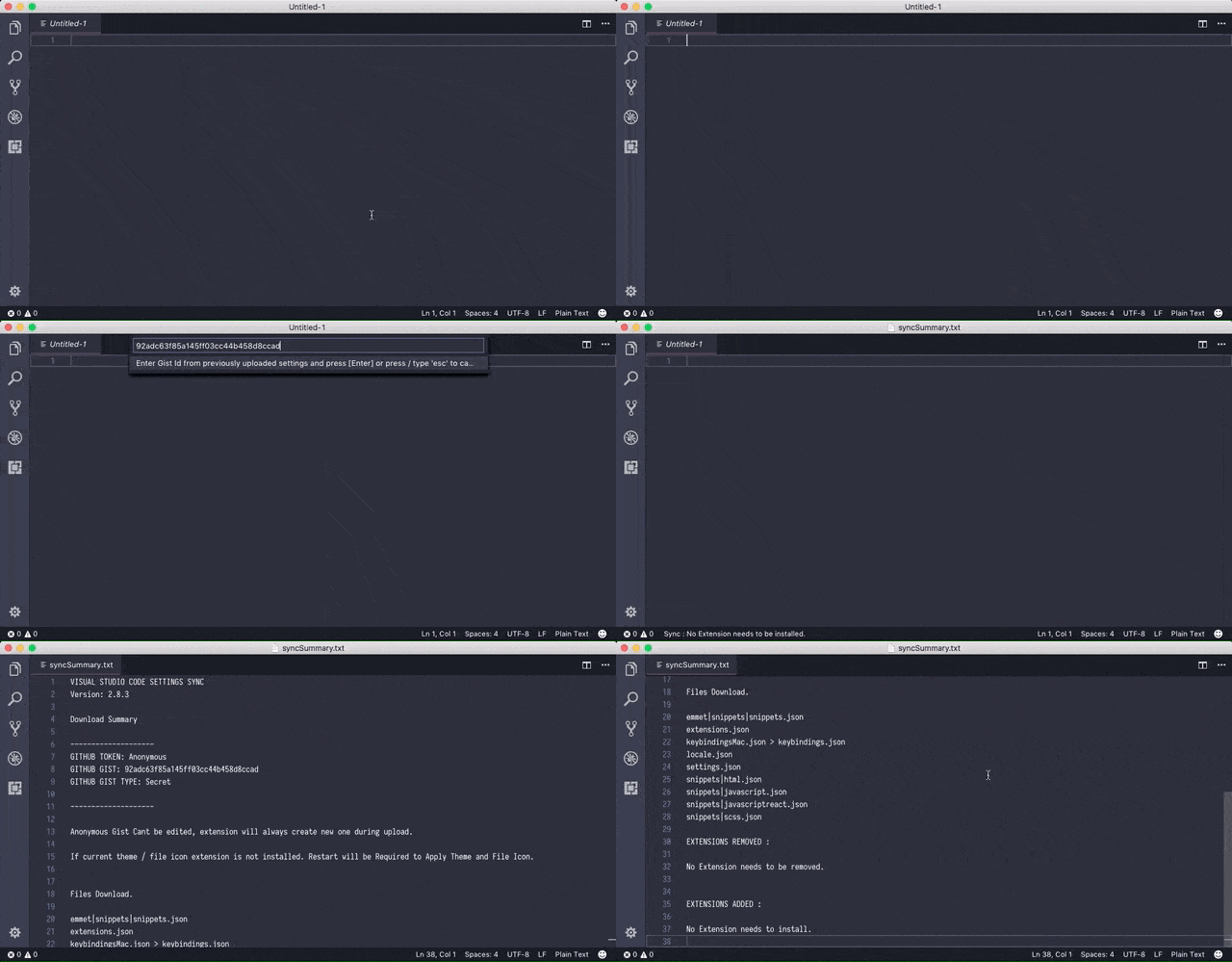
Before you start installing plugins left and right, it's good to know about Settings Sync. This allows you to sync almost everything you customize in VSCode, from settings to keyboard shortcuts to other VSCode extensions, with GitHub. That way, instead of having to program from the vanilla VSCode environment on new devices or having to manually set everything up again, you'll have access to your IDE of choice from any device you want.
Live Server
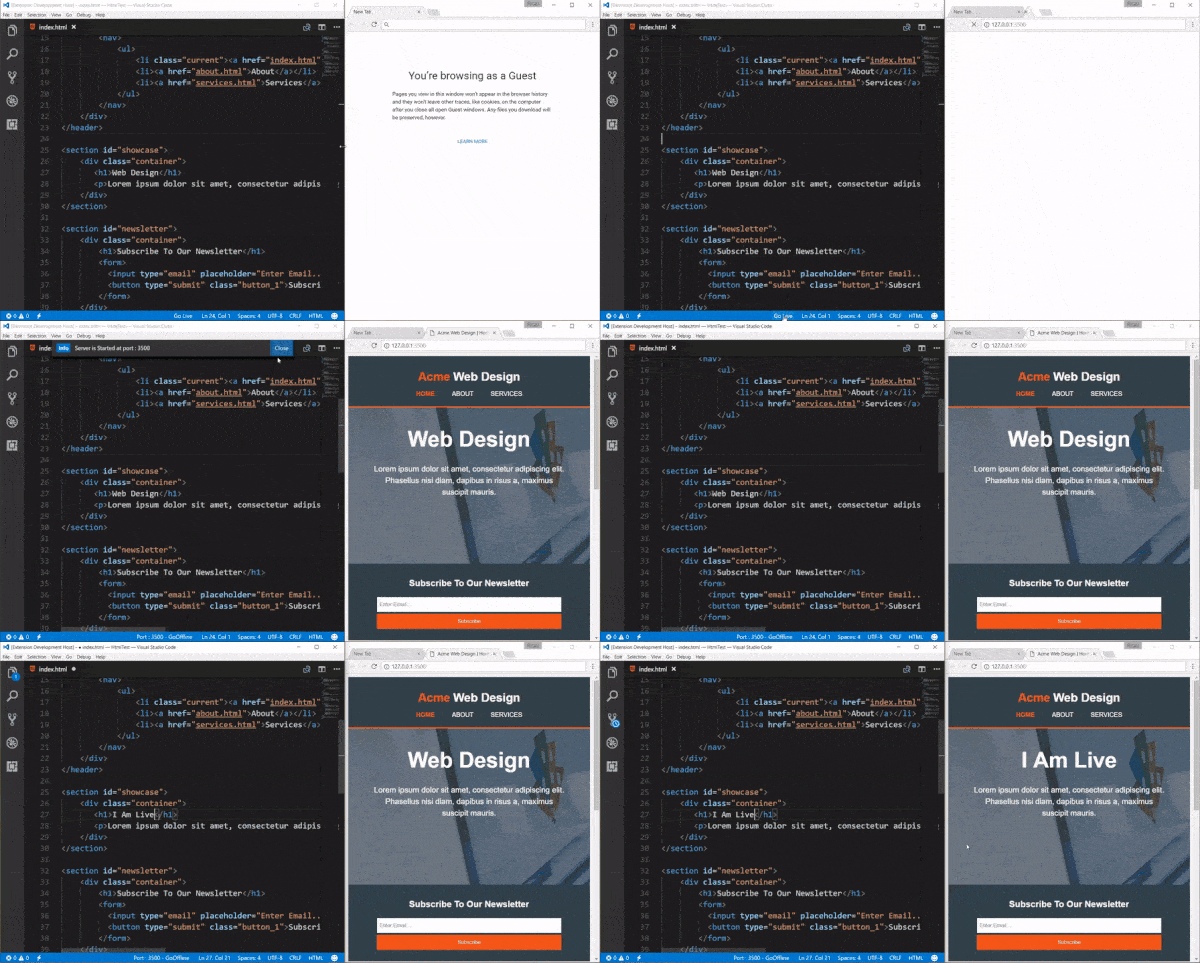
This VSCode plugin is a favorite of many software developers. Live Server sets up a local development server with live reloading for both static and dynamic pages. Every time you save your code, you will see the changes reflected in the browser immediately. You will be much faster at spotting errors and it is much easier to perform quick experiments with your code.
Remote – SSH
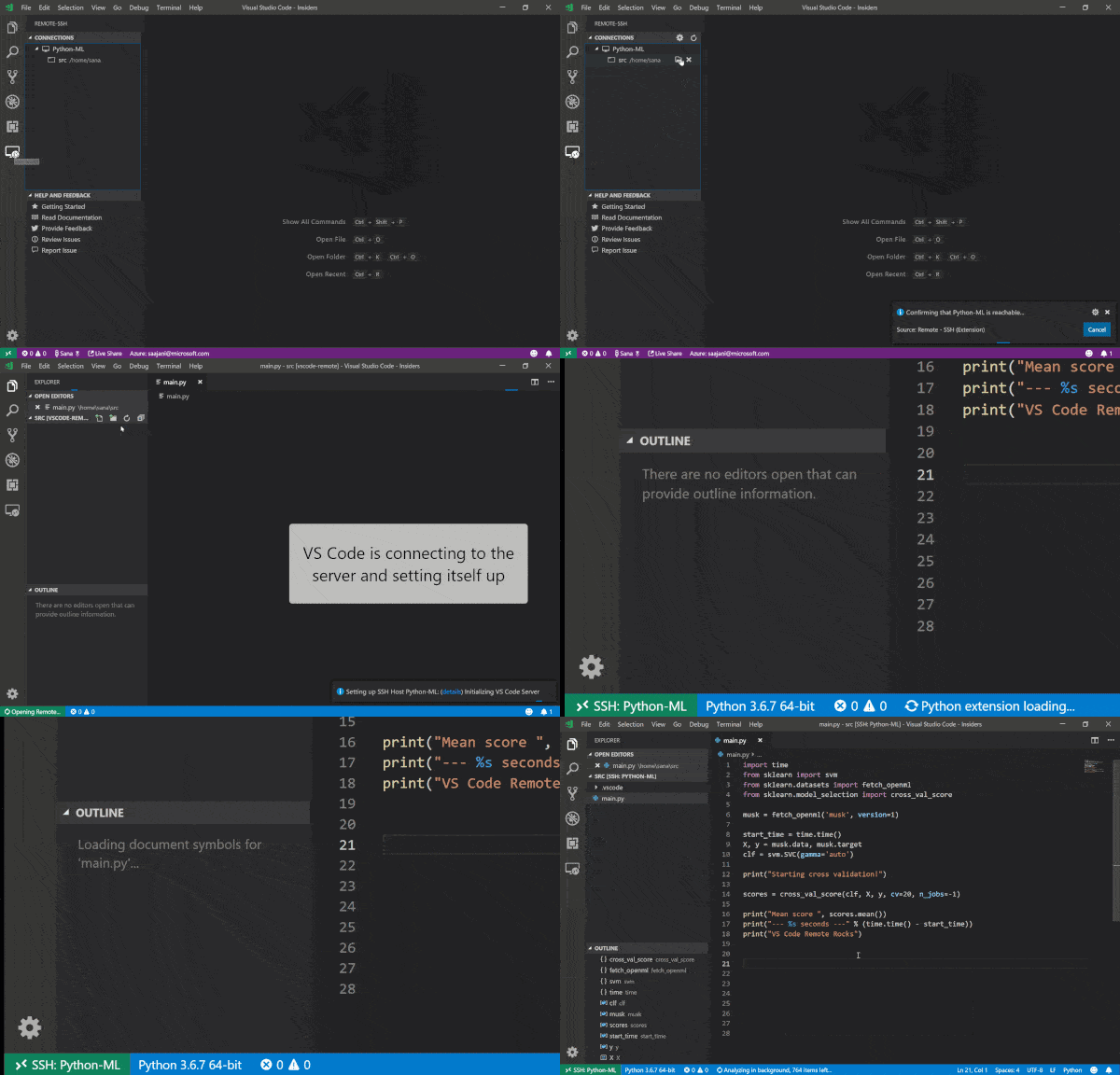
The Remote – SSH extension allows you to use any remote machine with an SSH server as your development environment. This makes development and/or troubleshooting in various scenarios much easier. You also don’t need any source code on your local machine, as the extension runs commands and other extensions directly on the remote machine.
Prettier
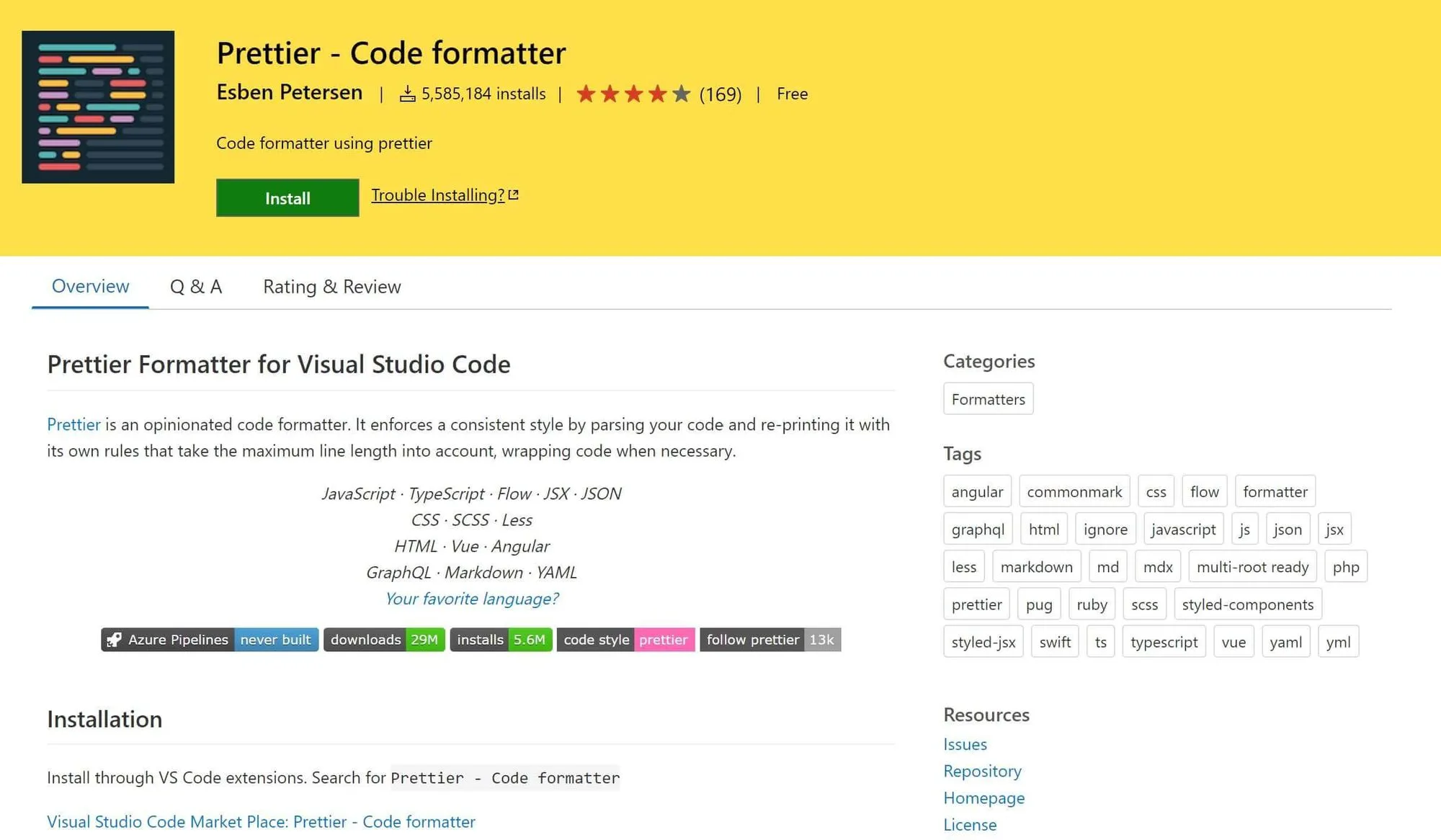
Prettier is a code formatter that works especially well if multiple people are working on a project, as the extension applies a consistent style. You can set it to format your code every time you save it, significantly reducing the time it takes to format your code.
GitHub Copilot
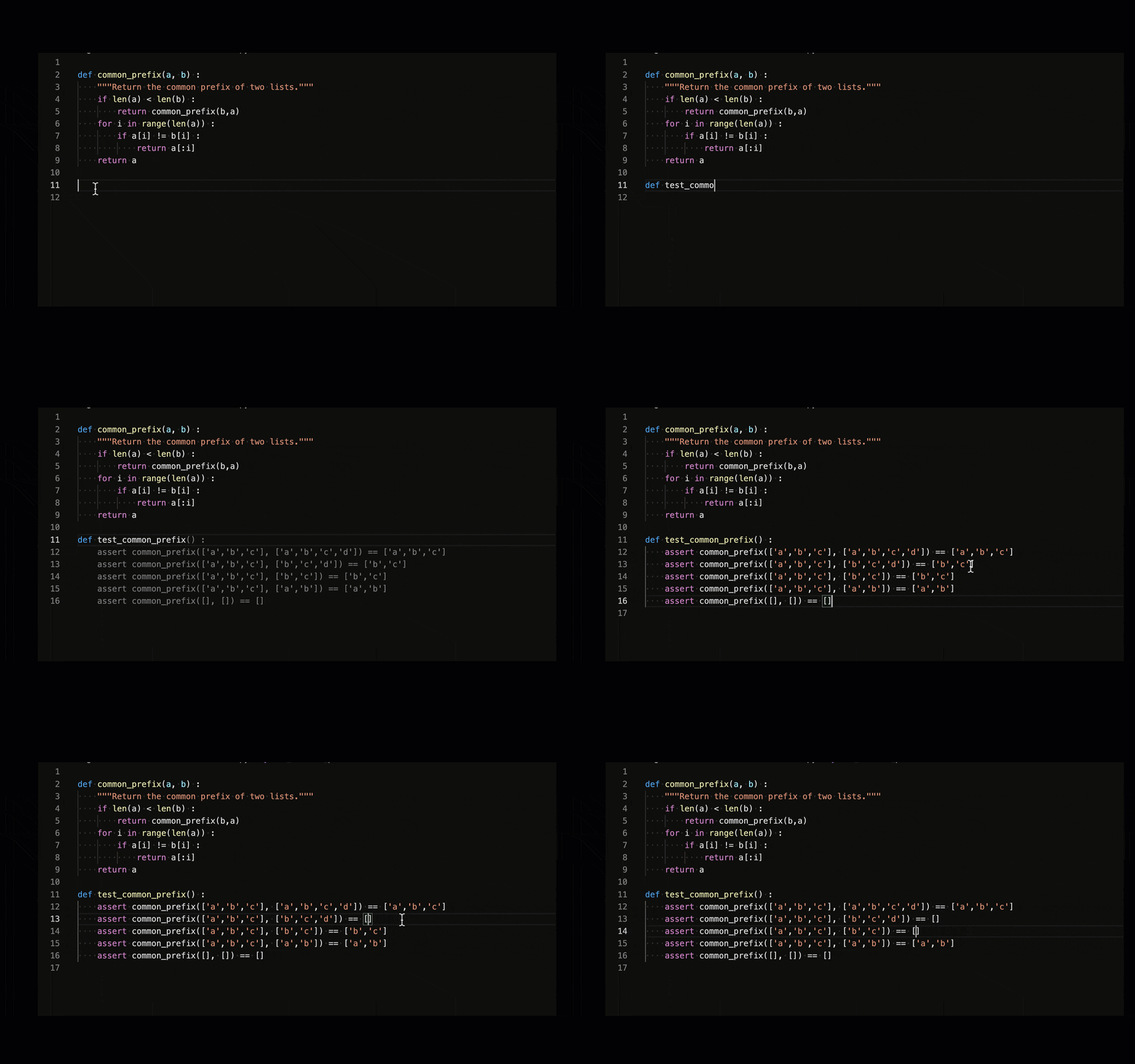 Some call GitHub Copilot a revolution in computer programming, while others call it a useful tool. Whatever you think about it, autocomplete AI is worth integrating into your workflow. Trained on GPT-3, GitHub Copilot provides code suggestions, autocompletes code, and can even help you write code when you provide natural language comments.
Auto Rename Tag
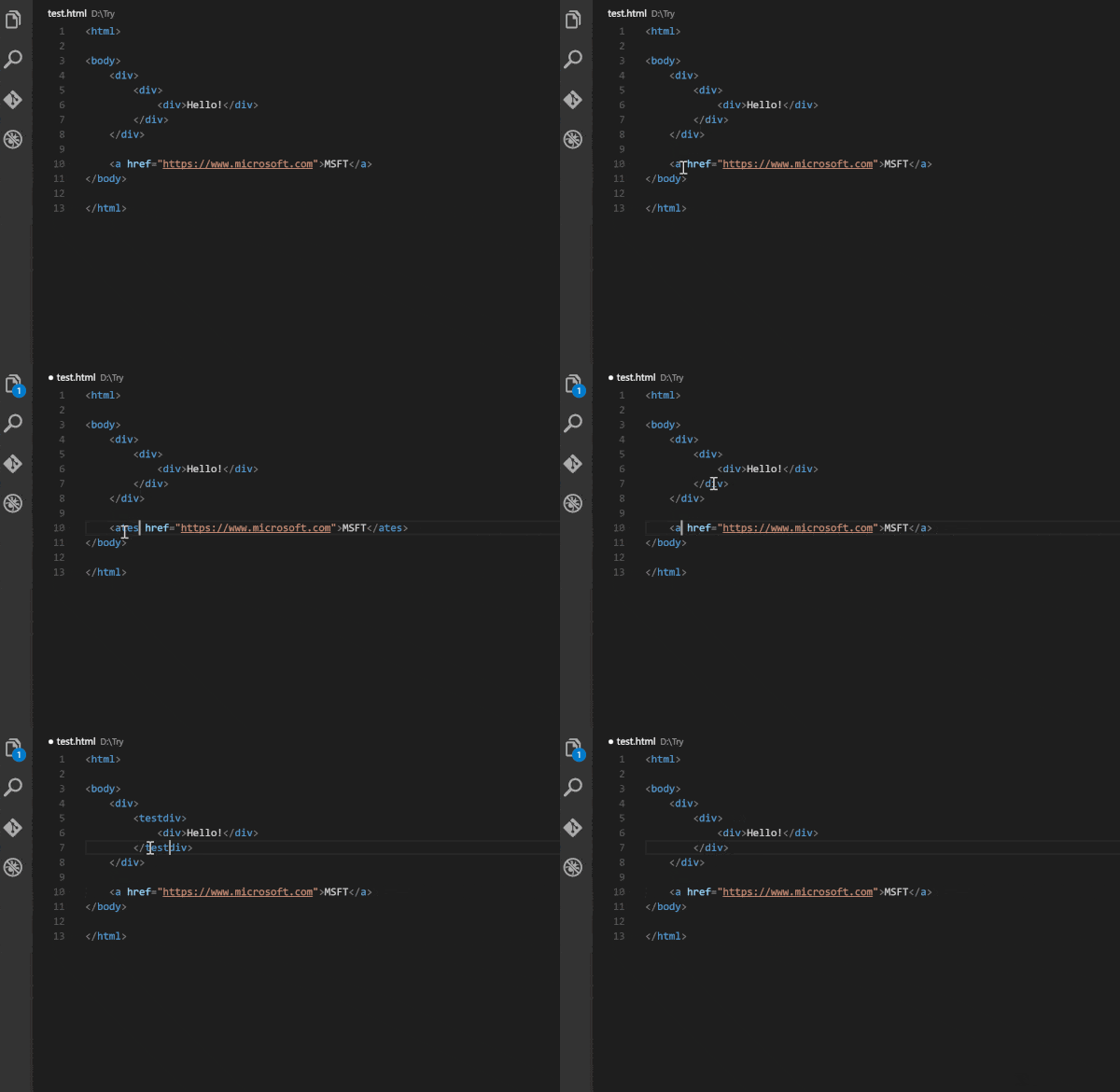 While VSCode inherently highlights matching tags and immediately adds closing tags whenever you type an opening tag, Auto Tag Rename automatically renames tags as you change them. This extension works for HTML, XML, PHP, and JavaScript, eliminating the need to rename tags twice.
GitLens
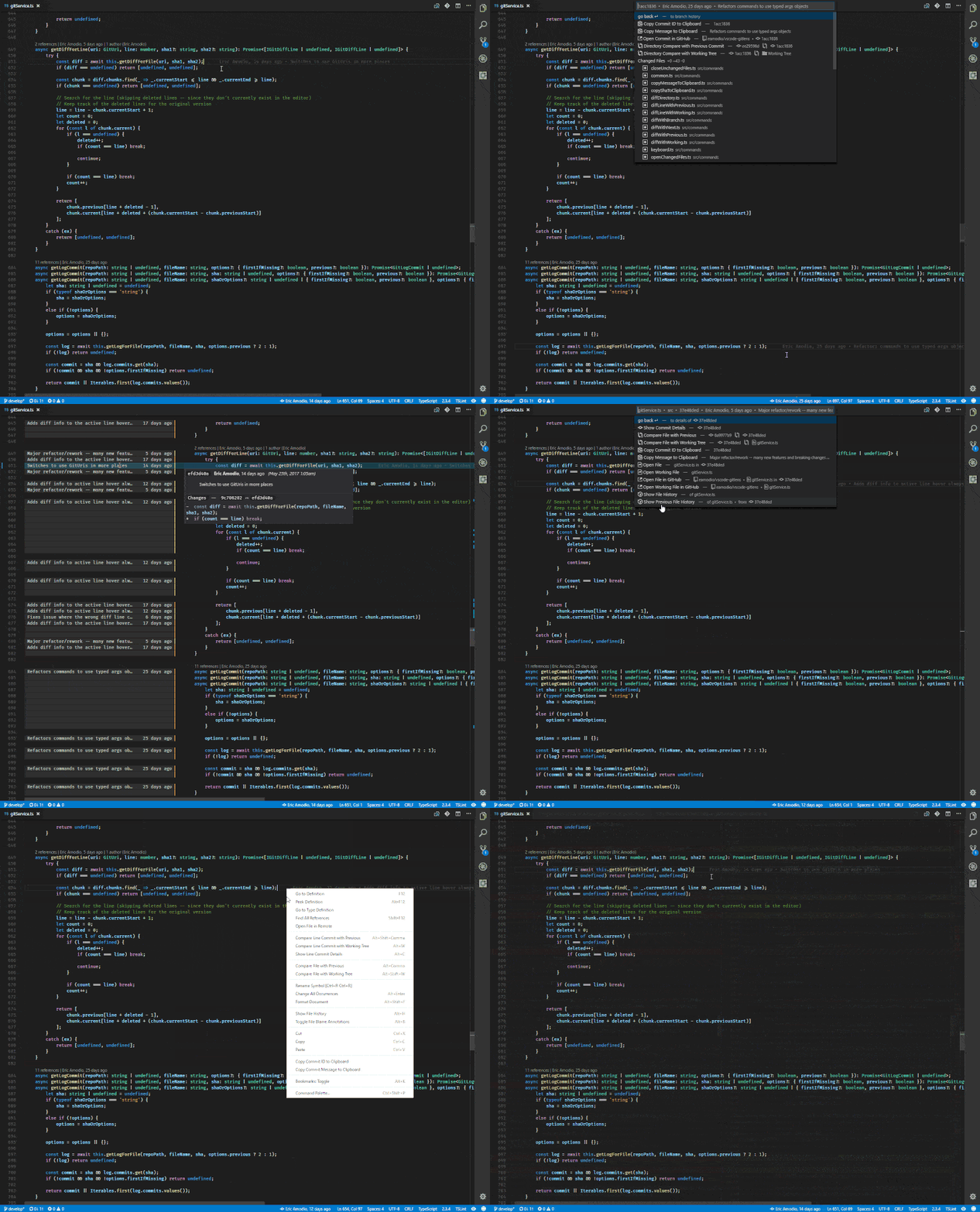 GitLens extends the Git capabilities of Visual Studio Code. It's a powerful plugin that lets you see who, why, and how lines of code have changed over time (among many other features). GitLens is a highly customizable plugin. If you don't like a particular setting, you can easily turn it off in the settings.
Git History
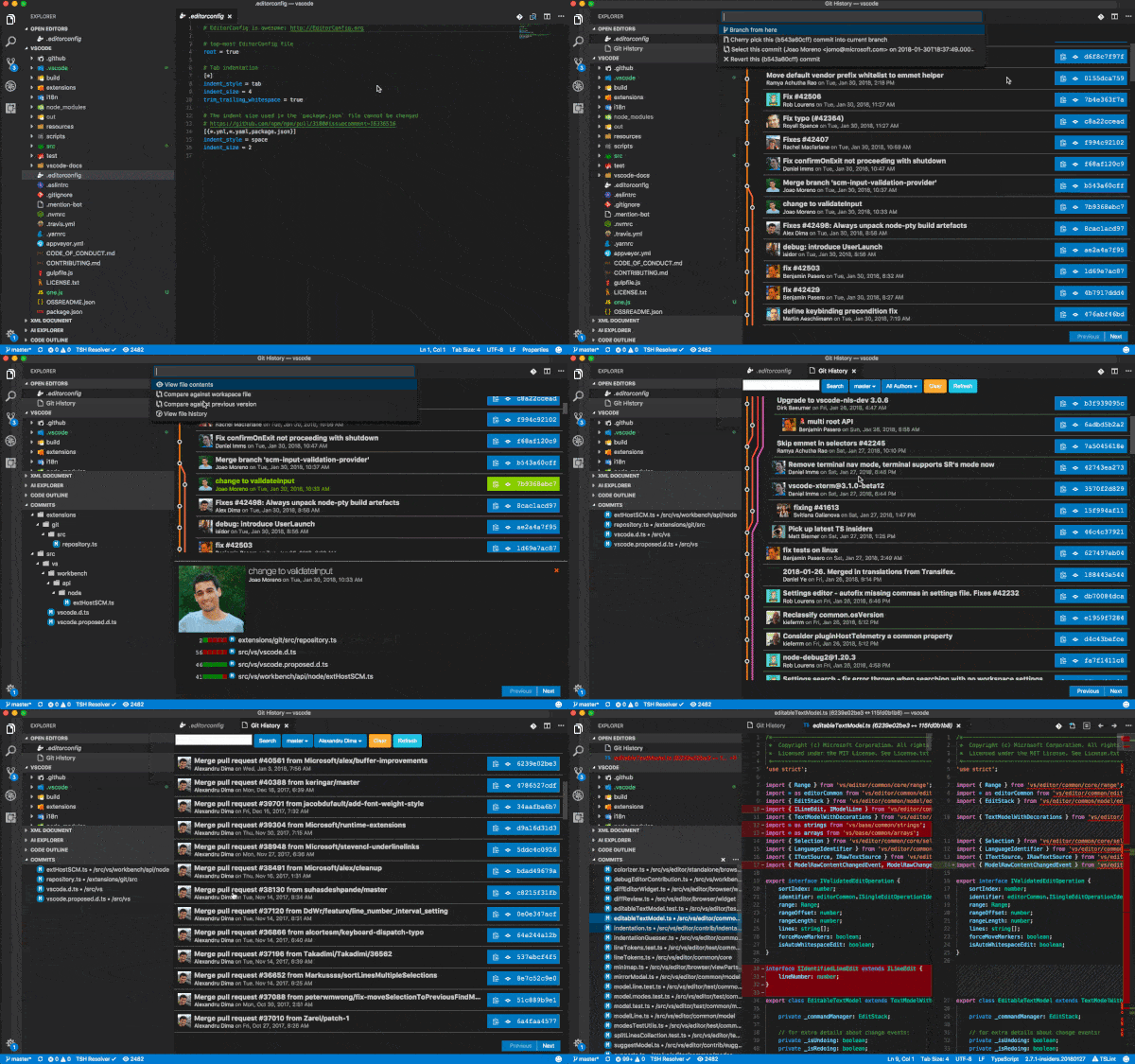 Similar to GitLens, Git History is a VSCode extension that provides a visual representation of the git log. No more looking through git log in the terminal. The extension is quite comprehensive. It allows you to compare branches, commits, and files across commits. You can also search Github avatars, which is quite neat.
CSS Peek
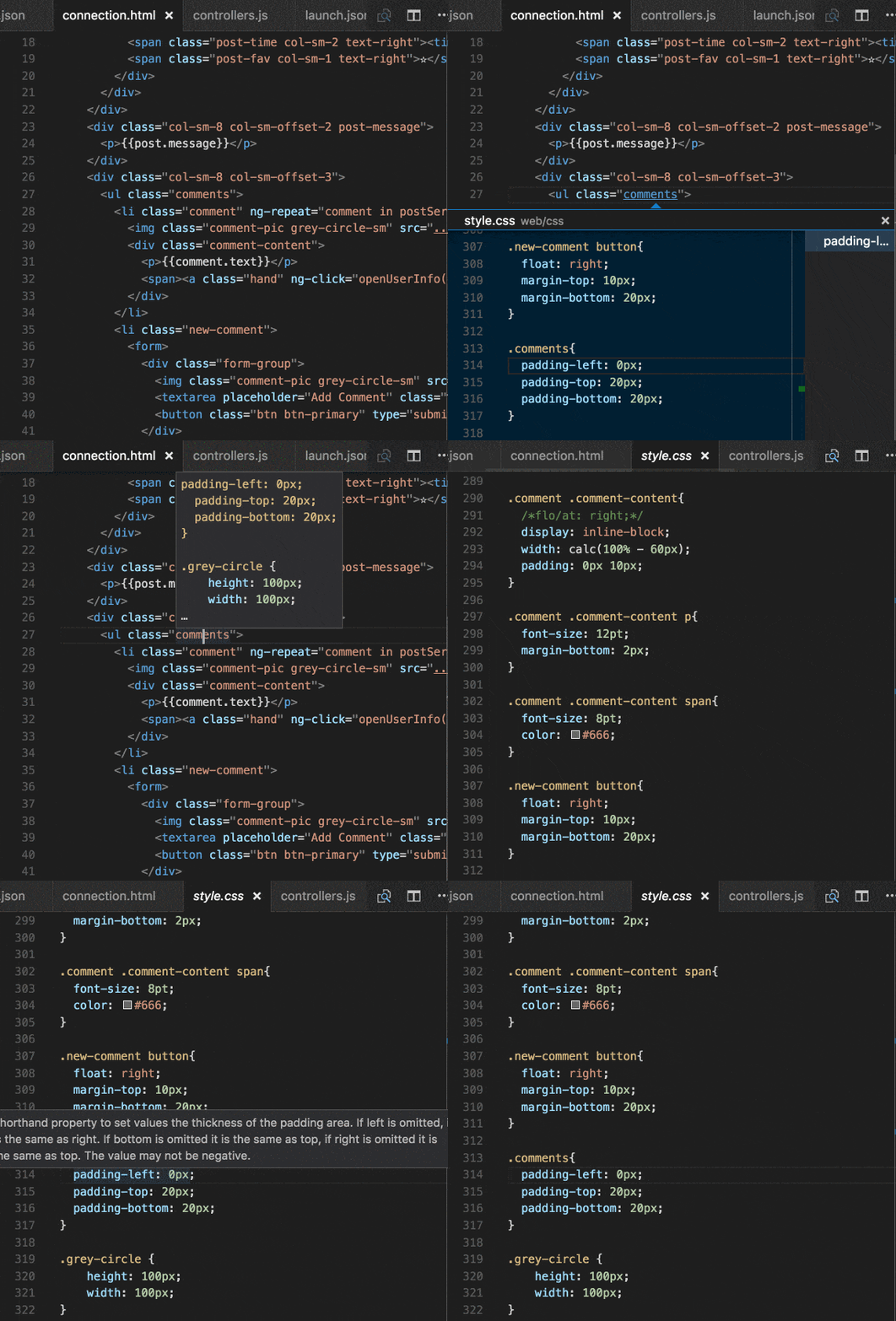 This plugin is invaluable for front-end developers. Inspired by a similar feature in the IDE Brackets, CSS Peek lets you expand your HTML and js file to show CSS/SCSS/LESS code in the source code. It also lets you quickly jump to the appropriate CSS code if you know the class name or ID.
JavaScript Code Snippets
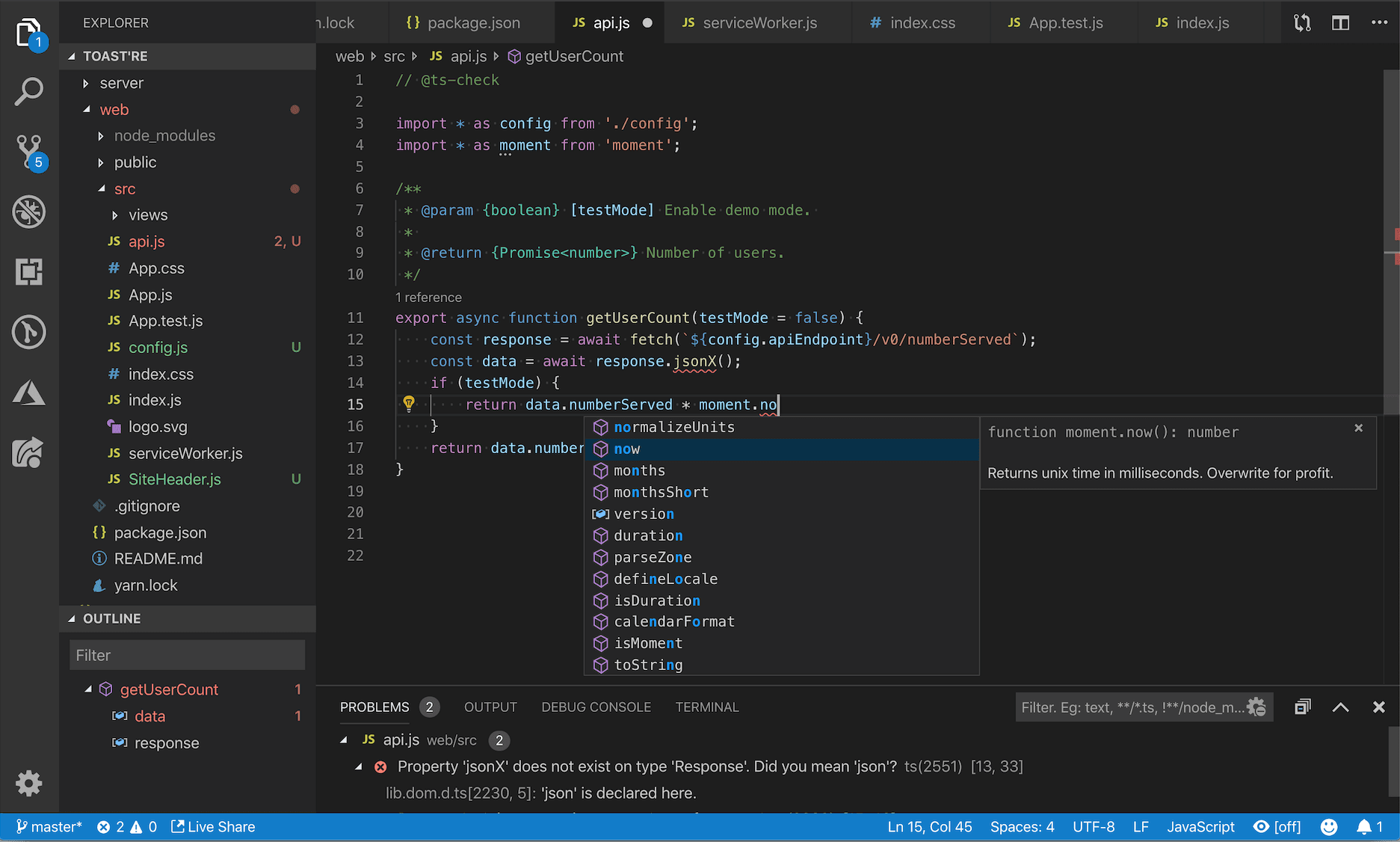 While VScode includes built-in JS IntelliSense, JS Code Snippets enhances the experience by adding an import/export trigger, class helpers, and method triggers. The extension supports JS, TypeScript, JS React, TS React, HTML, and VUE. Code snippets for other flavors, such as Angular, are readily available in the VScode marketplace.