
Introduction
Here in this article, we are going to see how to limit network bandwidth in Linux using WonderShaper. This tool is a small bash script that allows us to limit network bandwidth in Linux. It works as a backend for the tc command line program to configure traffic control on systems.
Here this tool allows us to set the maximum download speed and maximum upload speed. We can even clear the limits we have for download and upload and even display the current status of the interface from the command line.
Step 1 - Let's install WonderShaper on Linux
sudo apt install wondershaper
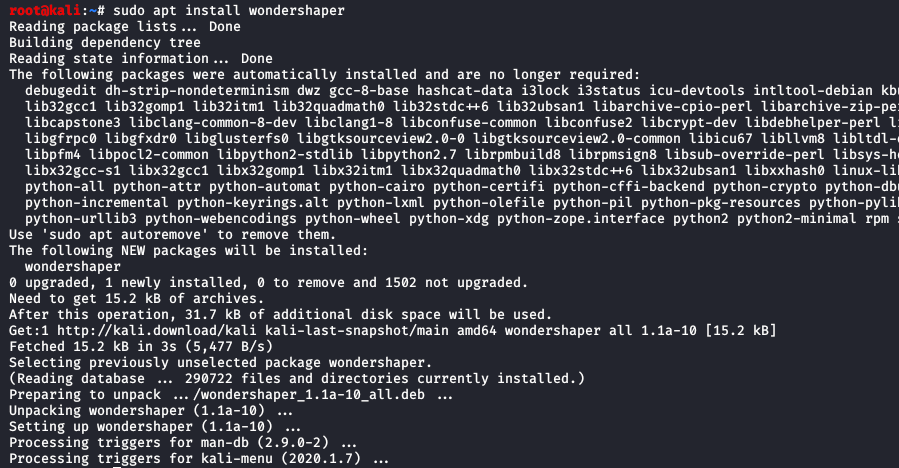
Now we can install WonderShaper using another method. Using this method we can have the latest WonderShaper update.
So before doing this we need to install git (Git is a distributed version control system for tracking changes to any set of files).
sudo apt install git
Step 2- First, go to the bin directory using the cd command in the terminal.
cd /bin
Step 3- Then download the latest version using the following command
git clone https://github.com/magnific0/wondershaper.git

Step 4- Now we are going to install the WonderShaper directory using the following

cd wondershaper
sudo make install 
So now the installation and setup for WonderShapper is done.
Enable and start the service:
Now we will enable and start the WonderShaper service. Next, we need to enable the service so that it starts automatically every time the system boots. WonderShaper can be run as a service like other Linux systems.
Now we need to enable and start the service on our system:
sudo systemctl enable wondershaper.service

sudo systemctl start wondershaper.service

Even we can check if WonderShaper service is running or not using the following command:
sudo systemctl status wondershaper.service

If we want to stop the service, we can use the following command
sudo systemctl stop wondershaper.service

Even if we have a problem with the service, we can restart the service with the following command:
sudo systemctl restart wondershaper.service
Now we can see how to use the WonderShapper tool.
Now we want to find the interface for which we need to limit the bandwidth. We can find the name of the corresponding interface using the following commands:
ifconfig
Now after knowing the name of the interface we want to limit the bandwidth using the following command:
Syntax: sudo wondershaper -a -d -u
Where:
- -a: defines interface name
- -d: defines download rate in kbps
- -u: defines upload rate in kbps
So for example:
sudo wondershaper -a eth0 -d 2048 -u 512

At the top, set the download speed to 2048 kbps and the upload rate to 512 kbps.
We can even set the download rate and upload rate separately.
Like: sudo wondershaper -a eth0 -d 4096

The above sets the download speed to 4096 kbps.
So now to clear or remove bandwidth limits of an interface we can use the following command.
sudo wondershaper -c -a eth0