Introduction
When you think about the best server operating systems in 2024, there is a wide range of use cases that servers are used for. Given the wide variety of these use cases, it makes sense to list the best server operating systems in each category. From virtualization and containers to file sharing and security, this guide examines the best server operating systems in 2024 across five key categories. We will attempt to provide insight into their functions and how they stack up in terms of pros and cons in server operating system options.
Hypervisors
Hypervisors are a hot topic right now, especially with the industry changing with VMware’s acquisition of Broadcom. Hypervisors are the platform that started the virtualization movement in the early 2000s and are still important today, even with the shift to containerization and the cloud. They serve as the foundation for other server operating systems, running in home labs and enterprises today. They are a dedicated server that allows multiple operating system instances to run in virtual machines. Let’s take a look at the best server operating systems for virtualization in 2024.
1. VMware ESXi
Despite the recent acquisition of VMware by Broadcom, VMware ESXi is still the best hypervisor on the market when you look at features, capabilities, payment, and ecosystem, not price. It is and has been a market leader in the virtualization space, offering a bare-metal Type 1 virtualization platform that can do all of this while building private clouds. The full ramifications of the Broadcom acquisition are yet to be seen.

This allows for direct installation on server hardware, optimizing resource management and minimizing overhead. VMware ESXi has powerful built-in management tools and extensive support for various guest operating systems.
Positive points:
- Best features and capabilities among its peers
- Best management
- High efficiency and performance
- Wide range of supported operating systems.
- Strong ecosystem
Negative points:
- Acquired by Broadcom
- Prices have risen sharply.
- Broadcom has eliminated all permanent products
- New software bundles mean customers have to buy products they don't need to get the ones they really need.
2. Nutanix
Nutanix has been a long-time competitor in the enterprise space with VMware and others. They have a really great solution for running virtual machines, HCI, VDI and other solutions. Now with a huge price increase with the acquisition of VMware by Broadcom, Nutanix is set to gain new customers. The Nutanix platform includes its own hypervisor called AHV (Acropolis Hypervisor), which is built for enterprise cloud environments. AHV is designed to be simple and reduce the complexity of virtualization management while providing a scalable and secure infrastructure.

Positive points:

- Simplifies data center operations with a versatile HCI solution.
- With VMware's acquisition of Broadcom, Nutanix's future looks bright.
- The AHV hypervisor is included at no additional cost and offers a cost-effective alternative to other hypervisors.
- Strong focus on ease of use with a simplified management interface.
- Integrated with the Nutanix ecosystem for seamless operations across compute, storage, and networking.
Negative points:
- While AHV is powerful, some organizations may need features available in more established hypervisors such as VMware ESXi or Microsoft Hyper-V.
- Nutanix solutions can be costly, especially for small to medium-sized companies.
- The platform's best features and optimizations are designed for Nutanix hardware and software, potentially limiting flexibility with third-party solutions.
3. Proxmox VE
Proxmox VE combines KVM and LXC to provide a comprehensive environment for running virtual machines and containers. It is an open source solution that offers a flexible and cost-effective alternative to proprietary virtualization platforms such as VMware and others.
Positive points:

- Open source and free to use, with optional paid support.
- Integrated support for VMs and containers.
- User-friendly web interface for management.
Negative points:
- Steeper learning curve for users who are not familiar with Linux.
- Community support varies in terms of responsiveness.
4. XCP-ng
XCP-ng is an open source virtualization platform based on XenServer. It provides a powerful and flexible server virtualization environment that allows the creation and management of virtual machines. It is designed for small and large infrastructures and is a cost-effective alternative to commercial hypervisors.
Positive points:

- Completely open source, providing a free alternative to other hypervisors with the option of paid support.
- Wide compatibility with different operating systems for guest virtual machines.
- Active community support, alongside professional support options.
- It offers a robust set of features including live migration, disaster recovery, and high availability.
Negative points:
- It may require more hands-on management and configuration compared to more integrated solutions like VMware or Hyper-V.
- The user interface, while functional, may not be as polished or intuitive as commercial competitors.
- Some advanced features may require additional setup or third-party tools compared to out-of-the-box solutions.
5. Microsoft Hyper-V
Hyper-V is a legacy Microsoft hypervisor that is integrated into Windows Server and Windows client operating systems. It provides a robust virtualization solution for Windows-based environments and also supports Linux guests. It is known for its ease of use, especially for organizations already using Windows infrastructure.
Positive points:
- Seamless integration with Windows environments.
- Wide support for Linux distributions as guest operating systems.
- Good scalability and security features.
Negative points:
- May require additional license fees for advanced features.
- The best features are mainly available in the server versions of Windows.
Containers and Kubernetes
Today, most organizations are running containers and Kubernetes workloads for production microservices. Containers are great for web servers, APIs, databases, and many other business applications. Many businesses and home labs alike host their own web or run a web server on container platforms like Docker. Kubernetes is a container orchestration platform used worldwide. Let’s take a look at the best server operating systems for containers and Kubernetes in 2024.
1. TalosOS
TalosOS is a modern operating system designed specifically for Kubernetes and container environments. It is engineered with security and immutability in mind, providing a minimal API-based platform for running Kubernetes clusters. TalosOS increases security and simplifies the management of containerized applications by removing unnecessary components and focusing on the essentials for Kubernetes.
Positive points:
- Highly secure by design, with a read-only root file system and all modifiable states limited to in-memory file systems.
- It simplifies Kubernetes cluster management through an API-based approach and reduces the chance of human error.
- Minimalist design reduces the attack surface and improves system performance.
- Open source project with active community support and development.
Negative points:
- Learning curve for those new to API-based operating system management or Kubernetes.
- Limited to container and Kubernetes environments, which may not be suitable for all use cases.
- As a relatively new and specialized platform, it may lack some of the features found in established server operating systems.
2. Flatcar Container Linux
Flatcar Container Linux is a lightweight, security-focused operating system built on CoreOS Container Linux. It is designed for container workloads and offers a minimal, unchangeable operating system that supports automatic updates. Flatcar provides stability, scalability, and performance for containerized applications, making it a good choice for cloud-native environments.
Positive points:

- The immutable file system increases security and reliability.
- Optimized for containers, providing minimal overhead.
- Seamless updates without disrupting running applications.
Negative points:
- Limited use outside of container environments.
- Smaller community and ecosystem compared to other Linux distributions.
3. Fedora CoreOS
Fedora CoreOS is the successor to CoreOS Container Linux. It aims to create a secure and easy-to-manage platform for modern applications. It combines the tools and automatic update model of Container Linux with Fedora's packaging technology, OCI support, and SELinux security.
Positive points:

- Automatic updates keep the system secure with minimal user intervention.
- Built-in support for container orchestration platforms like Kubernetes.
- Strong community support and integration with the Fedora ecosystem.
Negative points:
- If not managed properly, the automatic update process may cause unexpected problems.
- Relatively new, with evolving documentation and support resources.
4. Bottlerocket
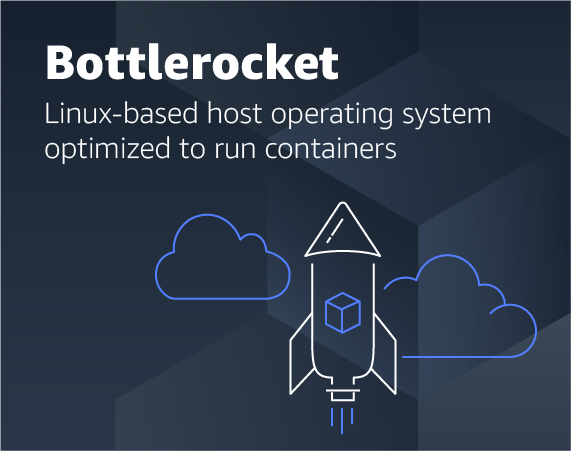
Bottlerocket is an open source Linux-based operating system built by Amazon Web Services (AWS) for running containers on virtual machines or bare metal hosts. It is optimized for security, maintainability, and performance in cloud environments. Bottlerocket includes only the software necessary to run containers, helping to reduce the attack surface and provide updates that are easy to install.
Positive points:
- Minimalist design improves security and performance.
- Supports atomic updates, reducing downtime and update complexity.
- Integrated with the AWS ecosystem, it offers simple deployment and management.
Negative points:
- It was originally designed for AWS, which may limit its use in other cloud or on-premises environments.
- Limited package availability outside of container workloads.
5. Elemental by Rancher
Elemental by Rancher is a lightweight, immutable Linux distribution. It is designed for deploying and managing containers and Kubernetes at the edge. It is built to provide a secure and minimal foundation for edge computing environments, which are resource-constrained. Elemental provides seamless integration with the Rancher management solution ecosystem.
Positive points:

- Optimized for edge computing with minimal overhead and high reliability.
- Seamless integration with Rancher for easy cluster management.
- Immutable and secure by design, reducing vulnerability and maintenance costs.
Negative points:
- Focus on edge environments, which may not be suitable for traditional data center deployments.
- Because it is part of the Rancher ecosystem, it may require familiarity with Rancher tools to get the best results.
File server
One of the most fundamental server roles over the past few decades has been that of a file server. A file server can be based on a Linux or Windows server and has many features to facilitate hosting file resources. Since file servers typically need to be available at all times, they require dedicated server operating systems that run on Linux and Windows or Unix-based operating systems. Let’s take a look at the best server operating systems for file servers in 2024.
1. Windows Server
Windows Server is one of the most popular server operating systems in the world today. It provides many built-in capabilities for file sharing and has full integration with Windows-based environments and Active Directory Domain Services (AD DS).
Of course, Windows dedicated servers can host many other critical applications, such as Microsoft SQL Server. The Windows Server operating system supports a wide range of storage solutions and protocols.
Positive points:
- Microsoft Windows servers provide easy integration with Windows and Active Directory environments.
- Extensive support for file sharing protocols and services.
- Strong security and management features
Negative points:
- Licensing costs can be significant, especially for enterprise features.
- Can be resource intensive compared to other solutions.
2. TrueNAS Core and TrueNAS Scale
TrueNAS CORE and TrueNAS Scale are open source NAS solutions that offer excellent storage capabilities, including serving as a core file server. TrueNAS includes a wide range of features for data protection, including support for the ZFS file system.
Positive points:

- Comprehensive data protection features with ZFS.
- Open source with a strong community.
- Scalable and flexible storage options.
Negative points:
- Requires knowledge of ZFS for optimal configuration.
- Hardware requirements for advanced features can be high.
3. OpenMediaVault
OpenMediaVault is designed for home and small office use, offering a simple and flexible NAS solution. It is based on Debian Linux and supports various storage technologies and protocols.
Positive points:
- Easy to use with a web-based management interface.
- Flexible plugin system for additional features.
- Based on Debian, ensuring stability and security.
Negative points:
- It's not as feature-rich as some enterprise solutions.
- Community support, while useful, may not match the immediacy of paid support options.
4. Ubuntu Server
Ubuntu Server is a Linux server operating system that needs no introduction. It powers many Linux servers and desktops today, offering flexibility and a wide range of software options. Especially with the rise of CentOS and the failure of RHEL to be open source, Ubuntu has really taken off and is the go-to choice for most people looking to get a fast and easy Linux server. It is compatible with common file sharing protocols and services, and has a very easy to use and understand package manager.
Positive points:
- Large support community and extensive documentation.
- Supports a wide range of file systems and network protocols.
- Easy integration with existing Linux environments or hybrid operating systems.
Negative points:
- May require more configuration and maintenance than specialized NAS solutions.
- Regular updates and upgrades are essential to maintain security and performance.
5. Red Hat Enterprise Linux (RHEL)
Red Hat Enterprise Linux (RHEL) is a well-known operating system. It is known for its stability, scalability, and security in the enterprise data center. It is a great choice for file server deployments. However, many have been shut down by changes to the way Red Hat licenses have been issued in the past year.
RHEL Linux OS supports a wide range of workloads and offers robust tools for hosting server resources, applications, and databases. It is based on a subscription model that provides support and updates. RHEL offers good documentation and is generally a reliable platform for critical enterprise applications.
Positive points:

- Very stable and supported, with long-term maintenance phases.
- Extensive security features, including SELinux for advanced access control.
- Strong ecosystem support, with a wide range of approved applications and hardware.
- The subscription model provides access to Red Hat's network and support resources.
Negative points:
- The subscription model can be costly, especially for small businesses or non-production environments.
- It may require more configuration and management effort compared to more user-friendly distributions.
NAS OS
1. TrueNAS Scale
TrueNAS SCALE offers enterprise-grade storage solutions with a focus on security and reliability. It supports a wide range of storage configurations and is ideal for businesses that require robust data protection.
Positive points:

- Advanced ZFS file system for maximum data integrity.
- Scalable to meet business needs.
- Strong community and professional support options.
- Based on Debian
Negative points:
- Can be complicated to set up without prior experience.
- Hardware requirements can be tough to use all features.
2. OpenMediaVault
OpenMediaVault (OMV) is an open source network attached storage (NAS) solution with an easy to understand interface and features. Designed to provide NAS services without complexity, OMV is based on Debian Linux with many features for home and small office environments.
Positive points:
- Free and open source, with strong community support.
- User-friendly web interface for easy management.
- It can be expanded through plugins for additional functionality.
Negative points:
- May require Linux knowledge for troubleshooting.
- Performance may vary based on hardware specifications.
3. Synology DSM (DiskStation Manager)

Synology's DiskStation Manager (DSM) is the operating system behind Synology's NAS range. DSM is known for its intuitive user interface, good security, and a comprehensive suite of applications for data management, multimedia, and monitoring.
Positive points:
- Very intuitive and user-friendly interface.
- A wide range of apps and services for versatile use cases.
- Regular updates and strong security measures.
Negative points:
- It is tied to Synology's NAS hardware and limits its use to its own products.
- Premium features and programs may require additional purchase.
4. TrueNAS CORE (formerly FreeNAS)
TrueNAS CORE is an open source storage operating system that provides enterprise-level data protection, file sharing, and snapshot capabilities. Based on FreeBSD, it supports ZFS for data integrity and high scalability, making it ideal for serious data storage needs.
Positive points:
- Powerful ZFS file system for maximum data integrity.
- Comprehensive data protection features including snapshots and replication.
- Large and active community for support and development.
Negative points:
- Based on FreeBSD
- It requires a good understanding of ZFS and storage concepts for optimal use.
- Hardware requirements for advanced features and best performance may be high.
5. Unraid
Unraid is a unique NAS operating system that allows users to build and manage a storage server with unparalleled flexibility. It supports mixed drive sizes, parity for data protection, and the ability to run applications in Docker containers and virtual machines.
Positive points:
- Flexibility to use mixed drive sizes and types.
- Easy to increase storage capacity
- Strong community support and a wide range of plugins.
Negative points:
- It's not free, with pricing based on the number of drives used.
- The interface and settings may be intimidating for beginners.
Security
With server operating systems, security is a major concern. An operating system designed with security at its core can provide a good foundation for protecting sensitive data and ensuring system integrity. Also, many operating systems are designed with pentesting and other security tasks in mind. Here are a few operating systems that stand out for their security features. Let’s take a look at the best server operating systems of 2024 as a security operating system.
1. Qubes OS
Qubes OS takes a unique approach to security by virtualizing different applications in isolated virtual machines. This isolation ensures that if one part of the system is compromised, the breach does not automatically compromise the entire system.
Positive points:

- Strong insulation between components increases security.
- Flexible enough to run applications with different security needs side by side.
- Open source allows for transparency and community scrutiny.
Negative points:
- High system requirements due to running multiple virtual machines.
- Steeper learning curve for users unfamiliar with its segmented approach.
2. Tails
Tails is a live operating system that you can boot from a USB or DVD on almost any computer. It aims to protect your privacy and anonymity by routing all internet connections through the Tor network and leaving no trace on your computer except in intentional cases.
Positive points:
- Ensures privacy and anonymity for sensitive tasks.
- It can be used on almost any computer without leaving a trace.
- Comes with pre-installed privacy-focused apps.
Negative points:
- The function can be limited to running from USB/DVD.
- Requires a reliable Tor connection for most functions.
3. Kali Linux
Kali Linux is a Debian-based Linux distribution designed for digital forensics and penetration testing. It comes preloaded with hundreds of useful tools for hacking, network analysis, and security testing.
Positive points:

- A wide range of penetration testing tools and instruments.
- Strong support from community and developers
- Regular updates with new tools and features.
Negative points:
- It is not recommended for daily use as a standard desktop operating system.
- Some tools require a steep learning curve to use effectively.
4. Parrot Security OS
Parrot Security OS is similar to Kali Linux, offering a comprehensive set of tools for security testing, digital forensics, and development. It is designed to be both powerful and lightweight, ensuring that it can run on low-power machines.
Positive points:

- A wide range of security and forensic tools.
- Lightweight, making it suitable for older hardware.
- It offers similar anonymity features to Tails.
Negative points:
- Like Kali, it has a specific use case and is not intended for general computing.
- The vast array of tools can be overwhelming for beginners.
5. Ubuntu Server with SELinux or AppArmor
Ubuntu Server is a popular choice for many server applications. It is well known and provides ease of use and excellent community support. While it is not a security-focused operating system with this in mind, it can be configured with SELinux or AppArmor for a really good security posture.
Positive points:
- Extensive community and business support.
- Flexibility to configure with SELinux or AppArmor for increased security.
- User-friendly, with extensive documentation and tutorials.
Negative points:
- Requires additional settings to optimize security features.
- SELinux and AppArmor settings can complicate system administration for inexperienced users.