Why are Code Editors Important?
You really can't overstate the importance of a powerful and feature-rich code editor for web developers. These tools eliminate human error, prevent application crashes, and reduce the risk of project mistakes.
In short, a good code editor makes writing code cleaner, easier, and faster. With features like syntax highlighting, indentation, and bracket matching, you can write and edit code quickly.
Plus, features like find and replace, line length, and wrapping all make your code better and more efficient. In a fast-paced environment, this allows you to launch new software before the competition.
What to consider when choosing the best code editor?
If you've used code editors before, you know that they're not all the same. Some are designed for specific programming languages. Others support a wide range of coding styles. The right tool depends on whether you're using code to write and edit short snippets or need a more advanced tool for collaborating with other developers.
Features that a good Code Editor needs:
- Flexible interface: A great code editor has a simple interface that allows for quick changes.
- Change Tracking: Code is constantly changing. Look for a tool that records code changes to monitor changes and see how your project has evolved over time.
- Customization: The best tools are those that you can use for specific needs. Look for a code editor that allows you to customize tools to improve productivity.
- Real-time collaboration: Work live with other developers in a simple workspace.
- Code quality tools: Look for code editors that have features like code refactoring to quickly identify and correct errors.
- Community: Active communities, tutorials, and debugger updates support better coding.
1-Visual Studio Code (VSC)

Visual Studio Code is a free, open-source code editor that works on macOS, Windows x64, and Linux x64 operating systems. It features basic command highlighting and auto-completion functionality, as well as intelligent completions called Intellisense based on functions and variables. It supports Java, TypeScript, and Node.js, but extensions allow for further customization for the developer. Whether you're a front-end or back-end developer, there's plenty of functionality to streamline your workflow.
The best features of Visual Studio Code
- Extensions for languages and bug tracking allow you to build a suite of products that work together for a simple coding workflow.
- Git's built-in commands make it easier to coordinate work between development teams.
- Changing the tracking history allows you to keep tabs on what has already been updated.
- Debugging in the editor makes code clean up faster than ever.
2-Sublime Text

Sublime Text is a simple and fast text editor that cleans up code in a flash. It features smart completion to make suggestions based on existing code. The customizable interface is ideal for simple code editing, and it uses features like GPU rendering and syntax highlighting to better organize your code.
Sublime's best features
- The simple interface features dark mode and color themes for a creative workspace.
- The significantly improved API allows integration with a large set of plugins.
- Keyboard shortcuts allow you to select multiple variables to make quick changes and substitutions.
- File tabs allow you to work on different projects with a simple page split.
3-Pycharm
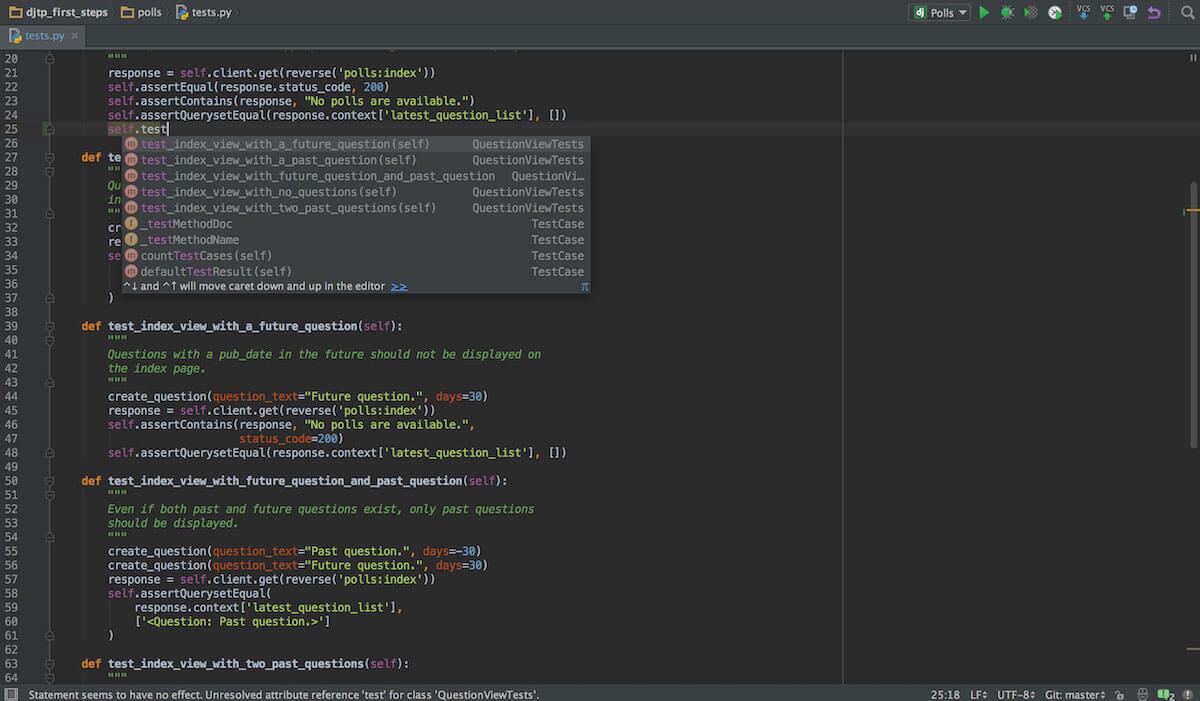
PyCharm is an integrated development environment that offers advanced features to give you more control over your code. Features like PEP8 checks, inspections, and refactoring ensure your code is clean and error-free. The tool supports a wide range of frameworks and remote web development capabilities.
Best Features of PyCharm
- Cross-platform technology supports multiple languages including SQL, Ruby on Rails, Cython, and markup languages.
- Built-in developer tools like debuggers allow you to edit code and find problems before they become a problem.
- Use internal test runners to evaluate changes all in one space.
- Intelligent support automates code regeneration, error highlighting, and rich navigation.
4-Spacemacs

Spacemacs is a code editor that takes the features of GNU Emacs and combines them with the capabilities that Vim users love—more on that tool in a minute. The broad functionality means that the tool works as a simple text editor and as a more advanced IDE or code editor.
Best Features of Spacemacs
- Shortcut menus make it easy to search, get help, or run tests.
- Command-line user interfaces paired with modern graphical interfaces allow you to write code in the style you prefer.
- The layered format makes it easy to focus on a specific part of a project.
- Support for overviews allows the team to investigate bugs.
5-Intellig IDEA
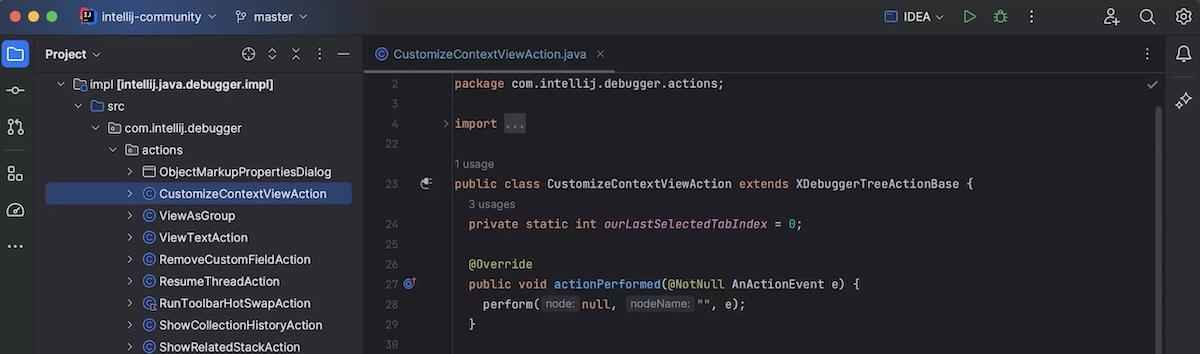
IntelliJ IDEA is a Java and Kotlin IDE that provides a collaborative and remote workspace for coding with the entire team in a simple workspace. The tool is not just a text editor, but is designed to simplify the coding process from design and implementation to testing and deployment.
Best features of IntelliJ Idea
- The execution and debugging tool has a live preview to track changes and see how they look in real time.
- The smart editor feature includes AI code assistance, language injection, and smart code completion.
- Community support provides insight into best practices, new language features, and coding training.
- The collaboration tool can be used remotely across multiple devices to work with other developers in the same space.
6-Vim

Vim is a text editor designed for web designers who don't need to be hands-on. It's compatible with most Unix systems and focuses primarily on editing in the terminal. It's a free code editor that asks for donations to charity instead of a monthly fee.
Vim's best features
- A wide range of plugins allows you to build a workspace tailored to your needs and preferences.
- It is lightweight and often bundled with Linux and GNU servers.
- Key features include code folding, code highlighting.
- Built-in file sharing allows you to move code documents from one tool to another without losing formatting.
7-Notepad++
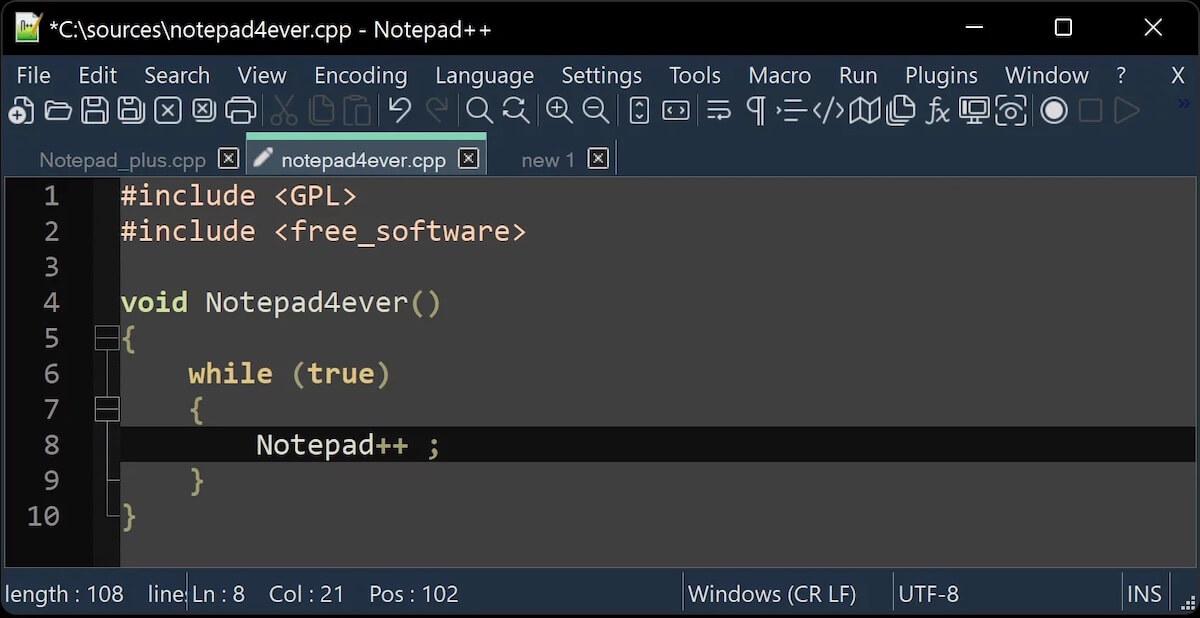
This free source code editor has multilingual support and is CPU-intensive, reducing resource load and making your coding more efficient. The feature-rich tool lets you manage multiple documents in one space and includes classic tools like syntax highlighting and auto-completion.
Best features of Notepad++
- The script editor works with a wide range of languages.
- This piece handles small independent pieces as well as longer integrated codes.
- The plugin system manages XML code with proper formatting and indentation.
- Side-by-side text comparison allows you to compare old code with new changes to easily fix bugs.
8-Espresso

Espresso is a web editor for Mac products. Designed to help developers build websites, it features live previews so you can see exactly how your code will translate into user views. Templates and plugins make coding faster than ever and improve collaboration.
Best Espresso Features
- Live Styling lets you change CSS and see the design in real time without having to hit save or publish.
- CSSEdit's built-in tools have won awards thanks to their stylish colors, gradients, and layouts.
- Browser preview and X-ray functionality for page layout works in Chrome, Firefox, and Safari.
- The customizable toolbar allows you to add specific widgets, menus, and modules to your workflow.
9-GitHub Codespaces

Codespaces is a GitHub product designed to make it easier to manage development environments. The editor integrates seamlessly with Visual Studio Code, Jupyter, and JetBrains for a unified coding tool. Low-latency connections allow for faster editing, even when you're working on large projects.
The best features of GitHub Codespaces
- Port sharing makes it easy to share privately and publicly with teammates and clients.
- All private code and networks are safe and protected in isolated virtual networks thanks to ephemeral VMs.
- As a cloud tool, use the cloud anywhere you have internet and from any type of device, including mobile, tablet, and desktop.
- Low-latency connections across multiple regions mean fast loading and high memory storage
10-Apache NetBeans

Apache NetBeans is a code editor that features syntax highlighting, code breaking, and brace matching for faster creation. Smart code completion and keyboard shortcuts reduce the time it takes to create code. Suggested parameters use best practices to highlight areas for improvement and modify code based on existing elements.
Best Features of Apache NetBeans
- Cross-platform support means that this tool is suitable for Java applications including Microsoft Windows, Linux, Mac OS X, and BSD.
- Java and PHP tutorials provide quick support when needed.
- Access to an active community of users to learn, grow, and brainstorm with the best in the business.
- A wide range of editing tools allows you to edit simple code or create more complex projects.