- General architecture
- Practical steps for creating an app (step by step)
- Security, key management, and IAM policies
- Choosing a data center location and comparing for latency and compliance
- Model Hosting — Cloud GPU vs. Managed API (Pros and Cons)
- Performance and cost optimization
- Final security and privacy tips
- Example applications and scenarios
- Practical tips for settling in our company (with 85+ locations)
- Quick pre-launch summary and checklist
- Technical support and consulting options
- Frequently Asked Questions
General architecture
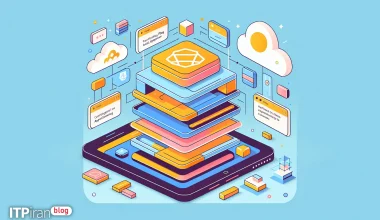
This guide provides a suggested architecture for building a web application. Serverless which leverages *Generative AI* capabilities. The goal is to combine AWS Amplify for the front-end and CI/CD with AWS serverless services for the back-end to create a scalable, secure, and maintainable solution.
- Frontend: React or Next.js hosted on AWS Amplify Hosting + CDN (CloudFront).
- Authentication: Amazon Cognito (Sign-up/Sign-in + federation).
- API: API Gateway (REST/HTTP) or AppSync (GraphQL) that routes requests to Lambda.
- Generative logic: Lambda (Node/Python) that sends the request to the generative model — the model can be Managed (OpenAI/Hugging Face/Bedrock) or Self-hosted on a GPU server with Triton/TorchServe.
- Storage: S3 for files, DynamoDB or RDS for metadata/sessions.
- Security and Network: WAF, Shield Advanced, IAM least-privilege, Secrets Manager.
- CDN and caching: CloudFront + Lambda@Edge or caching headers to improve latency and reduce cost.
Practical steps for creating an app (step by step)
1. Preparing the development environment
Install the basic tools you need: Node.js, npm, and AWS Amplify CLI. Then clone the project repository and install the dependencies.
curl -sL https://deb.nodesource.com/setup_18.x | sudo -E bash -
sudo apt-get install -y nodejs
npm install -g @aws-amplify/cli
git clone <repo>
cd <repo>
npm install
Configure the AWS CLI and Amplify and initialize the Amplify project:
aws configure
amplify configure
amplify init
2. Add authentication with Cognito
With Amplify, you can quickly add authentication. Options include default settings or manual customization. Use federation with Google/Facebook if needed, and enable password rules, MFA, and email verification.
amplify add auth
# choose default or manual configuration
amplify push
3. Create a Serverless API (REST or GraphQL)
Add API with Amplify; you can choose REST with Lambda or GraphQL with AppSync + DynamoDB.
amplify add api
# choose REST and Lambda function template
amplify push
Or for GraphQL:
amplify add api
# choose GraphQL + DynamoDB
amplify push
4. Writing a Lambda that interacts with the Generative AI model
Lambda acts as an interface between the frontend and the generative model. If you are using an external service like OpenAI, keep the API key secure and send the request through Lambda.
const fetch = require('node-fetch');
exports.handler = async (event) => {
  const prompt = JSON.parse(event.body).prompt;
  const apiKey = process.env.OPENAI_API_KEY;
  const res = await fetch('https://api.openai.com/v1/chat/completions', {
    method: 'POST',
    headers: { 'Authorization': `Bearer ${apiKey}`, 'Content-Type': 'application/json' },
    body: JSON.stringify({
      model: 'gpt-4o-mini',
      messages: [{ role: 'user', content: prompt }]
    })
  });
  const data = await res.json();
  return { statusCode: 200, body: JSON.stringify(data) };
};If you host the model on your GPU server, Lambda or the backend service will send the request to its endpoint:
const res = await fetch('https://gpu.example.com/inference', {
  method: 'POST',
  headers: { 'Authorization': `Bearer ${process.env.MODEL_TOKEN}`, 'Content-Type': 'application/json' },
  body: JSON.stringify({ inputs: prompt })
});
5. Streaming/Realtime implementation (optional)
For long responses or streaming tokens, use WebSocket or Server-Sent Events. On AWS, you can use API Gateway WebSocket or AppSync Subscriptions.
6. Frontend Hosting with Amplify Hosting and CI/CD
Amplify Hosting allows you to launch CI/CD from a Git repository; each push to a specific branch triggers an automatic build and deployment.
amplify hosting add
amplify publish
Security, key management, and IAM policies
Secrets management
From AWS Secrets Manager Use to store API keys and secrets. The IAM role for Lambda should only include read access to the specified secret.
Sample IAM policies
A minimal policy example that allows Lambda to read a specific secret:
{
  "Version": "2012-10-17",
  "Statement": [
    {
      "Effect": "Allow",
      "Action": "secretsmanager:GetSecretValue",
      "Resource": "arn:aws:secretsmanager:region:acct-id:secret:myOpenAIKey"
    }
  ]
}
Protection against attacks and content safety
To protect the application:
- Activation AWS WAF To block malicious requests.
- Use of AWS Shield (Standard by default, for more protection than Shield Advanced).
- At the API level, take advantage of rate-limiting and usage plans in API Gateway.
- Content moderation For productive outputs: review and filter responses with moderation models (OpenAI/HuggingFace).
Choosing a data center location and comparing for latency and compliance
Choosing the right region is important based on user distribution and legal requirements. Common tips:
- us-east-1: Fast to North America and lower costs for basic services.
- eu-west-1: Suitable for Europe with stricter privacy laws.
- ap-southeast-1 / ap-northeast-1: Asian regions for users on that continent.
For distributed users, use CDN (CloudFront) and distribute the model across multiple regions or edge inference.
If needed Very low latency Or, if you have complete control over the data, you can host the model on the company's GPU server in over 85+ locations, which provides the benefits of reduced latency, data control, and hardware anti-DDoS capabilities.
Model Hosting — Cloud GPU vs. Managed API (Pros and Cons)
Overall comparison between Managed and Self-hosted services on GPU:
- Managed (OpenAI/Bedrock/Hugging Face):
- Advantages: Zero maintenance, simple model updates, fast access.
- Disadvantages: Cost per request, privacy concerns.
- Self-hosted on GPU:
- Advantages: Fixed server cost, full control, dedicated settings, use of our graphics servers for rendering and AI.
- Disadvantages: Need for management and monitoring, manual scalability.
Recommendation: Use Managed for PoC; migrate to GPU server for high volume and low latency needs.
Performance and cost optimization
- Stretching: Cache non-sensitive outputs in CloudFront or Redis/ElastiCache.
- Model selection: Use the smallest possible model for real needs (distilled or quantized).
- Lambda Limit: For long inference use ECS/EKS or GPU server as Lambda has time/CPU limitations.
- Monitoring: CloudWatch for logs and metrics, X-Ray for tracing.
- Cost savings: Reserve or use Reserved Instances or dedicated GPU servers for long-term inference.
Example of configuring Nginx reverse proxy to Triton on GPU
If the model runs on a GPU server, you can set up a reverse proxy with Nginx:
server {
    listen 443 ssl;
    server_name ai.example.com;
    location / {
      proxy_pass http://127.0.0.1:8000;
      proxy_set_header Host $host;
      proxy_set_header X-Real-IP $remote_addr;
    }
  }
Final security and privacy tips
Some practical advice for protecting data and complying with the law:
- Sensitive logging: Avoid storing sensitive prompts directly or encrypt them.
- Data retention: Review GDPR/PDPA requirements; use specific locations (data residency) if needed.
- Input/Output: Use validation and sanitization to prevent prompt injection and data exfiltration.
Example applications and scenarios
- Content creation and text editor application with suggestion and summarization.
- Intelligent chatbot with session context stored in DynamoDB.
- Smart coding tool for developers with auto-complete and refactor suggestions.
- AI hybrid rendering tools that use the GPU server to process images and video.
Practical tips for settling in our company (with 85+ locations)
Practical tips for reducing latency and optimizing user experience at global levels:
- For users in Europe, Asia, or Latin America, use nearby locations to reduce p99 latency.
- For trading and gaming, use a dedicated trading VPS and gaming VPS with Anti-DDoS and BGP Anycast to reduce ping and packet loss.
- Use GPU Cloud for training and inferencing large models to optimize cost and latency.
- Take advantage of the network and CDN to distribute content and reduce loading times.
Quick pre-launch summary and checklist
- Amplify Hosting and CI are active.
- Cognito is configured for auth and MFA is enabled if needed.
- Secure Lambda with minimal access and Secrets Manager configured.
- WAF and rate-limiting are applied to the API.
- CDN and caching should be enabled to reduce usage and latency.
- The appropriate location is selected based on target users and legal needs.
- A monitoring and alert program (CloudWatch + Slack/Email) is set up.
- Load and penetration testing should be performed before public launch.
Technical support and consulting options
To help you choose the best combination of Region, GPU, and network, you can use hosting plans and graphics servers in over 85 locations. The technical team can provide guidance on model migration and CI/CD setup.