- Which AI is better for creating images?
- Model Overview (Features and Quick Comparison)
- Technical criteria for evaluation (Latency, Throughput, Quality)
- Practical server deployment guide (commands and configurations)
- Hardware recommendations based on user
- Our company: Why is our infrastructure suitable for these models?
- Practical examples: pipeline for a Flux Kontext-based image editing service
- Security, cost, and management of models
- Network and CDN settings for image editing service
- Practical tips for choosing a model based on your needs
- Evaluation and benchmarking methods (suggested)
- Final advice for starting a business
- Frequently Asked Questions
Which AI is better for creating images?
In this article, we will discuss the four popular image editing models in technical and practical terms — Qwen, UMO, Flux Context and Nano Banana — We examine it in terms of accuracy, speed, resource requirements, integration capabilities, and most appropriate use.
Model Overview (Features and Quick Comparison)
Below, we briefly introduce each model to make it easier to choose the right one based on your needs and hardware limitations.
Qwen
Type: Multipurpose model with image editing modules (at different levels: basic to complex editing).
Strength: Extensive contextual understanding of the image and natural outputs in composite edits; suitable for high-quality API services.
Resource requirements: From 16GB VRAM for optimized versions to 48+ GB for full models.
Best use: Image-centric SaaS platforms, composite edits, and detailed advertising content production.
UMO
Type: Optimized model for inpitting and photorealistic restoration.
Strength: High accuracy in reconstructing deleted parts, preserving lighting and texture.
Resource requirements: Typically 12–32GB of VRAM for effective inference.
Best use: Photography studios, retouching, historical image restoration, and single image editing tools on the web.
Flux Context
Type: Context-aware attention model for multi-step and instruction-guided edits.
Strength: Coordination between multi-step edits, strong support for prompt chaining, and large context windows.
Resource requirements: Preferably GPUs with TensorRT/FP16 support to minimize latency.
Best use: Professional interactive editing and collaborative applications that require low-latency.
Nano Banana
Type: Lightweight and compact model for edge deployment and mobile.
Strength: Fast execution on GPUs with limited memory, suitable for quantization and INT8/4-bit.
Resource requirements: Runs with 4–8GB VRAM in quantized versions.
Best use: Browser extensions, mobile apps, and low-cost VPSs for lightweight inference.
Technical criteria for evaluation (Latency, Throughput, Quality)
To choose the most appropriate model, you need to measure and optimize four key criteria:
- Latency (ms): The path time from request to response. For interactive editing of the target <200ms is; larger values can be accepted for batch processing.
- Throughput (img/s): Number of images processed per unit of time — important for rendering and batch services.
- Quality: Quantitative metrics such as PSNR, SSIM and perceptual metrics such as LPIPS and FID as well as human evaluation.
- Resource Efficiency: VRAM, RAM, vCPU, and network I/O consumption, which determines the type of server required.
Practical server deployment guide (commands and configurations)
This section provides practical examples for quickly deploying models on a Linux server with GPUs.
Server preparation (installing NVIDIA drivers and Docker)
sudo apt update
sudo apt install -y build-essential dkms
# install NVIDIA drivers (recommended per GPU)
sudo ubuntu-drivers autoinstall
# install Docker and nvidia-docker
curl -fsSL https://get.docker.com | sh
distribution=$(. /etc/os-release;echo $ID$VERSION_ID)
curl -s -L https://nvidia.github.io/nvidia-docker/gpgkey | sudo apt-key add -
curl -s -L https://nvidia.github.io/nvidia-docker/$distribution/nvidia-docker.list | sudo tee /etc/apt/sources.list.d/nvidia-docker.list
sudo apt update && sudo apt install -y nvidia-docker2
sudo systemctl restart docker
For sample and comparison images, you can refer to the following images:
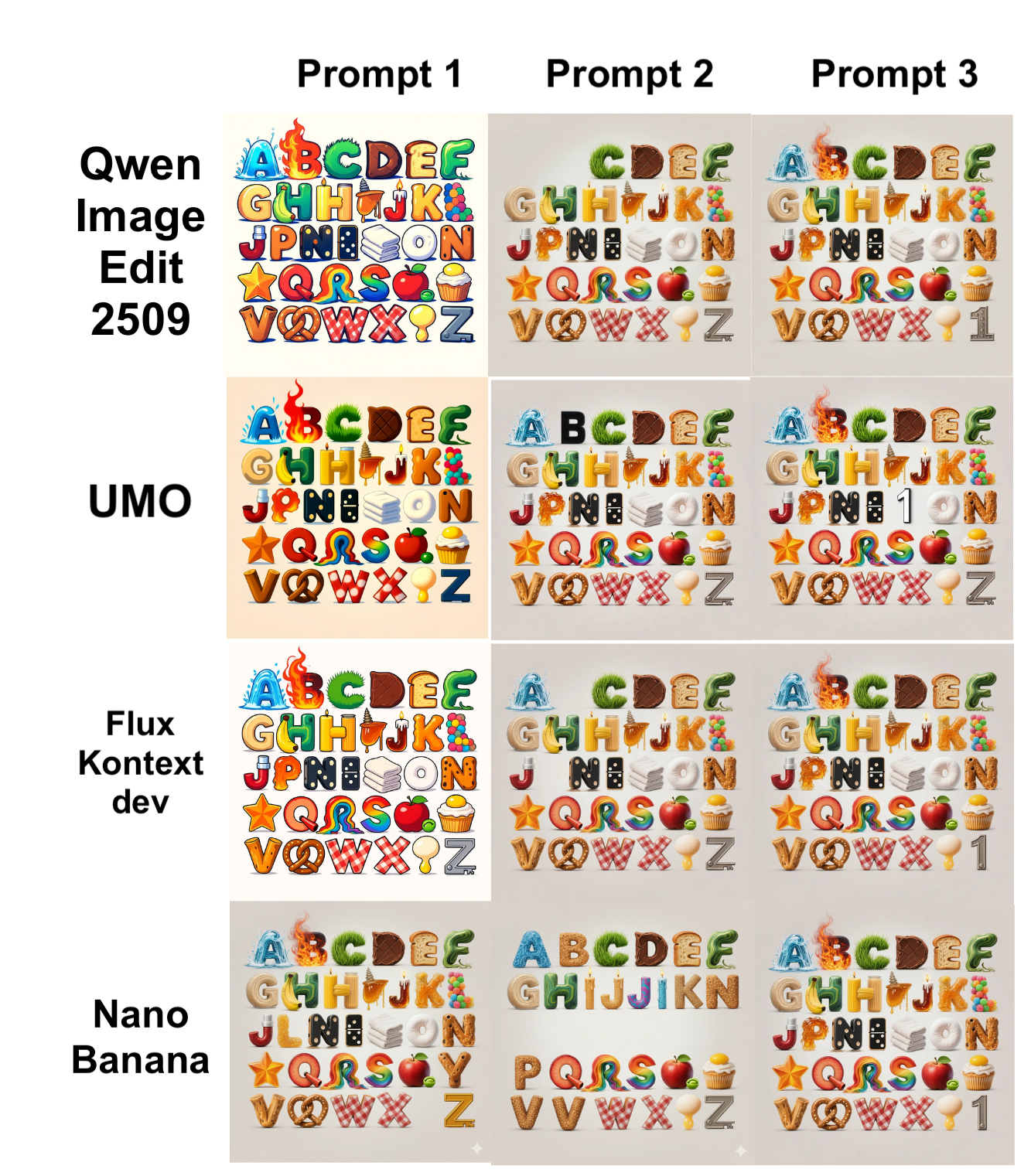
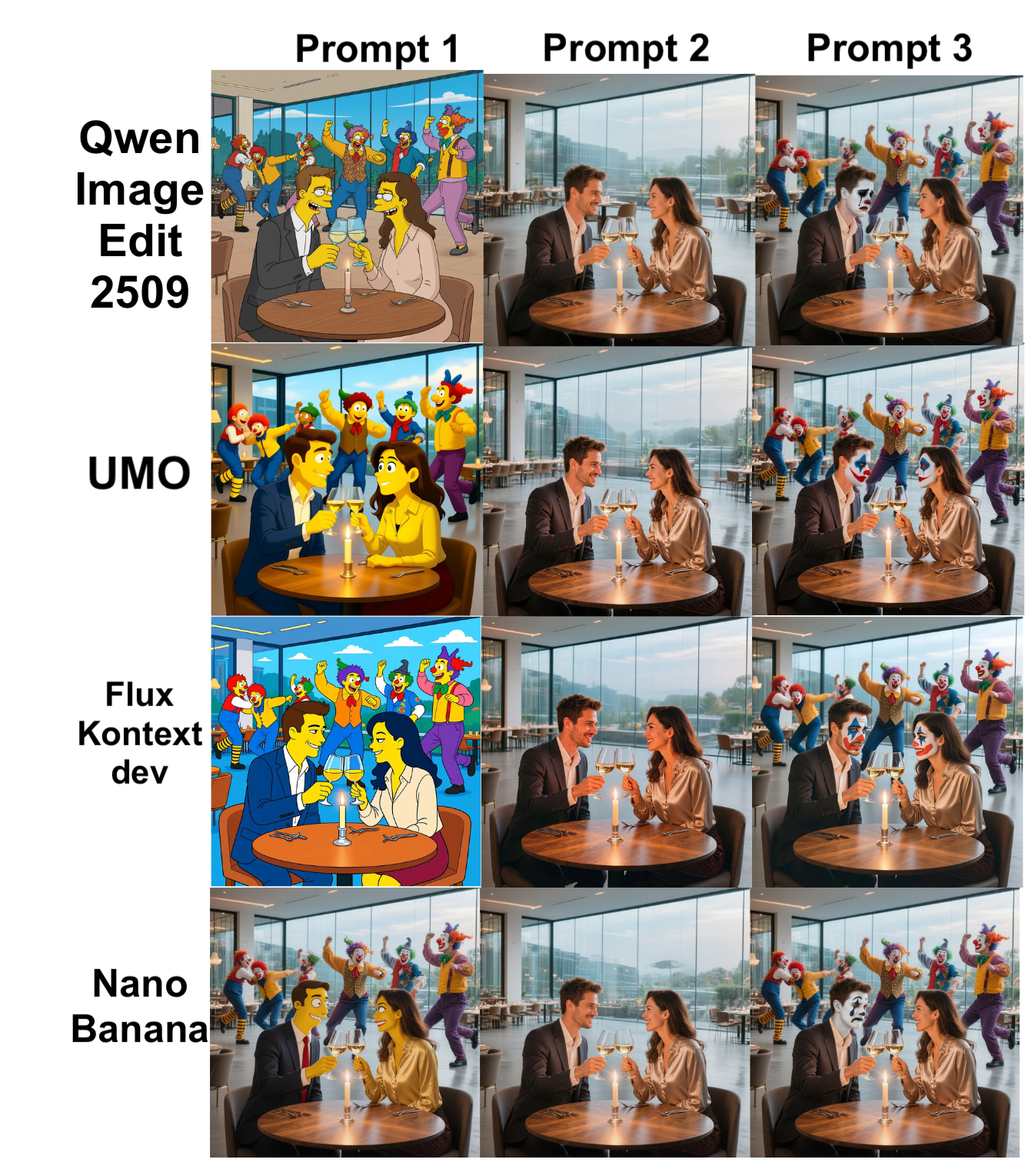
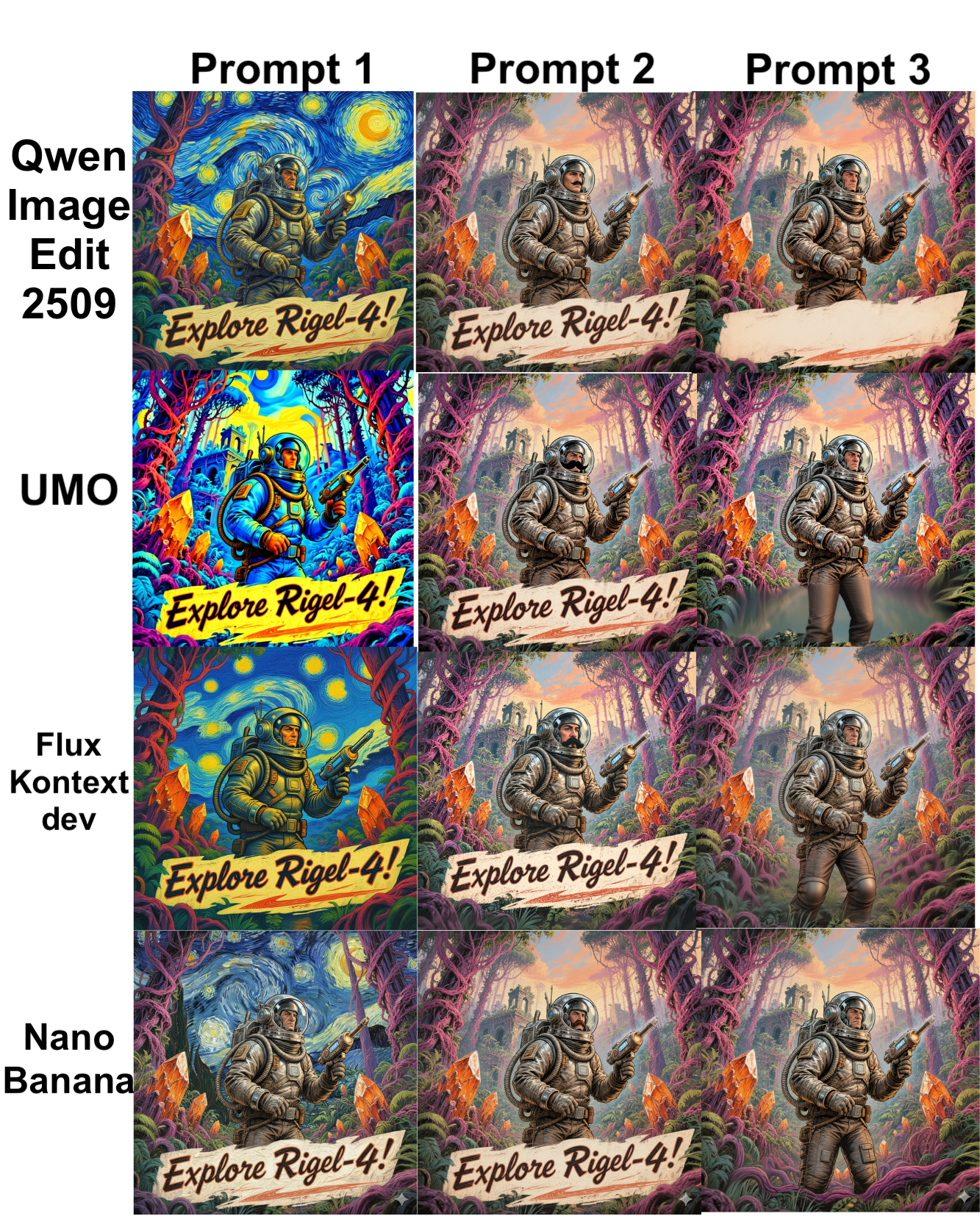
Running the inference container example (with nvidia runtime)
docker run --gpus all -it --rm \
  -v /srv/models:/models \
  -p 8080:8080 \
  --name img-edit-infer \
  myrepo/image-edit:latest \
  bash
Inside the container, you can run the inference service with Uvicorn or Flask:
uvicorn app:app --host 0.0.0.0 --port 8080 --workers 2Implementing optimization tips (FP16, TensorRT, Quantization)
To reduce VRAM and latency, you can use the following:
- FP16: Enable for Flux Kontext and Qwen to reduce VRAM consumption and latency. PyTorch example:
model.half()
with torch.cuda.amp.autocast():
out = model(input)- TensorRT/ONNX: Converting heavy models to ONNX and then TensorRT to reduce latency:
python export_to_onnx.py --model qwen --output qwen.onnx
trtexec --onnx=qwen.onnx --fp16 --saveEngine=qwen.trt- Quantization (Nano Banana): Use bitsandbytes or quantization-aware methods to implement 4-bit or 8-bit to run on the edge or low-cost VPS.
Hardware recommendations based on user
- Initial development and testing: RTX (3060/3070) or A2000 GPUs with 8–12GB VRAM.
- High-quality inference deployment (SaaS): A10/A30 or RTX 6000 (24GB) for high throughput.
- Training/Finetune and large models (Qwen full): A100/H100 with 40–80GB VRAM or multi-GPU with NVLink.
- Edge and low-cost VPS for Nano Banana: Servers with 8GB VRAM or VPS with eGPU support.
Our company: Why is our infrastructure suitable for these models?
- Over 85 global locations: Reduced latency for distributed teams and end users.
- Versatile graphics server: From rendering and inference cards to the H100 for heavy training.
- High-performance cloud server and BGP/CDN network: Suitable for AI services that require bandwidth and geographical distribution.
- Anti-DDoS server and cloud security: Maintain API availability and prevent Layer 7 attacks.
- VPS plans for trading and gaming: For latency-sensitive and real-time applications.
- Additional services: GitLab hosting for CI/CD models, rendering service, managed database, and networking solutions.
Practical examples: pipeline for a Flux Kontext-based image editing service
A proposed pipeline for an image editing service includes the following steps:
- Receive image and request editing from user (API).
- Preprocessing: resize, normalize and generate segmentation mask.
- Send to Flux Kontext model (FP16, TensorRT) to get a quick preview.
- Post-processing: color-grading, sharpening, and WebP/JPEG output.
- Store on CDN and return link to user.
Sample request structure (pseudo):
POST /edit
{ "image_url": "...", "instructions": "remove background and enhance skin", "size":"1024" }
Target speed: latency < 200ms For preview and < 2s For final high-quality render (depending on hardware).
Security, cost, and management of models
Key points in the areas of security, management, and cost of models:
- Privacy and data: Always encrypt sensitive images (at-rest and in-transit) and use S3 with SSE or managed keys.
- Access restrictions: API Keys, rate limiting, and WAF are essential for inference endpoints.
- Model versioning: Use a registry like Harbor or Git LFS for model versions to make rollbacks easy.
- Cost: Large models have high VRAM and power consumption; for bursty services, use autoscaling GPU servers or spot instances.
Network and CDN settings for image editing service
- Using CDNs For fast delivery of final images.
- BGP and Anycast To reduce ping and improve connectivity for global users.
- Load balancer with sticky sessions For multi-step workflows that require state maintenance.
Practical tips for choosing a model based on your needs
- Single-image photorealistic editing (retouching): UMO is the best choice.
- Command-ability and step-by-step edits with large context: Flux Kontext is suitable.
- Overall quality and combination of elements with sufficient resources: Qwen is a strong choice.
- Run on edge devices or low-cost VPS: Nano Banana is suitable for quantization.
Evaluation and benchmarking methods (suggested)
For benchmarking, it is recommended to use the following test suite and criteria:
- Test set: 100 images with different scenarios (inpitting, background change, lighting).
- Criteria: Average latency, p95 latency, throughput, PSNR, SSIM and human evaluation.
- Tools: locust or wrk for loading; torchvision and skimage for calculating PSNR/SSIM.
Final advice for starting a business
Some practical suggestions for business establishment:
- SaaS service with global users: Combining CDN, GPU servers in several key locations, and request queue-based autoscaling.
- Studio and rendering: Dedicated GPU servers with NVLink and high-speed storage for workflow.
- MVP or Proof-of-Concept: Use Nano Banana or quantized versions of Qwen on a VPS with 8–16GB VRAM to reduce costs.
If you want to verify the right business model for your business by testing performance on real data, our technical team can provide custom plans and tests.