









Introduction
In this tutorial, we will learn how to run a Python Django application on Hetzner Webhosting or Managed Server servers. Django is a Python web framework. By default, the framework runs on WSGI (web server-application interface), but mod_wsgi is not available on a managed Apache server. However, there are several ways to convert WSGI to other compatible interfaces.
Prerequisites
- Webhosting with SSH support (version 9 or higher) or Managed Server with SSH access enabled.
Step 1 – Install dependencies
Step 1.1 – Install and activate virtualenv
pip3 install --break-system-packages virtualenv mkdir /usr/home/holu/virtualenvs python3 -m virtualenv /usr/home/holu/virtualenvs/example_com . /usr/home/holu/virtualenvs/example_com/bin/activateStep 1.2 – Installing Django
pip install djangoStep 1.3 – Install Flup (optional, required for FastCGI)
pip install flupStep 2 – Create and configure the Django project
Step 2.1 – Starting the project
mkdir /usr/home/holu/djangoprojects env -C "/usr/home/holu/djangoprojects" django-admin startproject example_comStep 2.2 – Project Configuration
All requested domains to the variable ALLOWED_HOSTS Add to make it accessible.
vim /home/holu/djangoprojects/example_com/example_com/settings.pyBy hitting I Go to “Import Mode” and add all requested domains:
ALLOWED_HOSTS = ['example.com']By hitting esc Return to "command mode" and :wq Enter to save and exit.
Step 3 – Prepare the Web Server Document Root
Create an empty website directory and change the document root in konsoleH.
mkdir -p /usr/home/holu/public_html/example_comOption 1 – FastCGI
Create .htaccess
vim /usr/home/holu/public_html/example_com/.htaccessBy hitting I Go to “Import Mode” and enter the following content:
<IfModule mod_rewrite.c>
RewriteEngine On
RewriteBase /
RewriteCond %{REQUEST_FILENAME} !-f
RewriteRule ^(.*)$ djangoapp.fcgi/$1 [QSA,L]
</IfModule>
By hitting esc Return to "command mode" and :wq Enter to save and exit.
Create .fcgi script
vim /usr/home/holu/public_html/example_com/djangoapp.fcgi#!/usr/home/holu/virtualenvs/example_com/bin/python
import sys
import os
import django
from flup.server.fcgi import WSGIServer
from django.core.handlers.wsgi import WSGIHandler
sys.path.append("/usr/home/holu/djangoprojects/example_com")
os.environ['DJANGO_SETTINGS_MODULE']="example_com.settings"
django.setup(set_prefix=False)
WSGIServer(WSGIHandler()).run()Set the execute permission for the owner:
chmod 744 /usr/home/holu/public_html/example_com/djangoapp.fcgiOption 2 – CGI
Create .htaccess
vim /usr/home/holu/public_html/example_com/.htaccessBy hitting I Go to “Import Mode” and enter the following content:
<IfModule mod_rewrite.c>
RewriteEngine On
RewriteBase /
RewriteCond %{REQUEST_FILENAME} !-f
RewriteRule ^(.*)$ djangoapp.cgi/$1 [QSA,L]
</IfModule>
By hitting esc Return to "command mode" and :wq Enter to save and exit.
Creating a .cgi script
vim /usr/home/holu/public_html/example_com/djangoapp.cgi#!/usr/home/holu/virtualenvs/example_com/bin/python
import sys
import os
import django
import wsgiref.handlers
from django.core.handlers.wsgi import WSGIHandler
sys.path.append("/usr/home/holu/djangoprojects/example_com")
os.environ['DJANGO_SETTINGS_MODULE']="example_com.settings"
django.setup(set_prefix=False)
wsgiref.handlers.CGIHandler().run(WSGIHandler())Set the execute permission for the owner:
chmod 744 /usr/home/holu/public_html/example_com/djangoapp.cgiStep 4 – Testing
To test, visit your domain. You should see something like the image below:
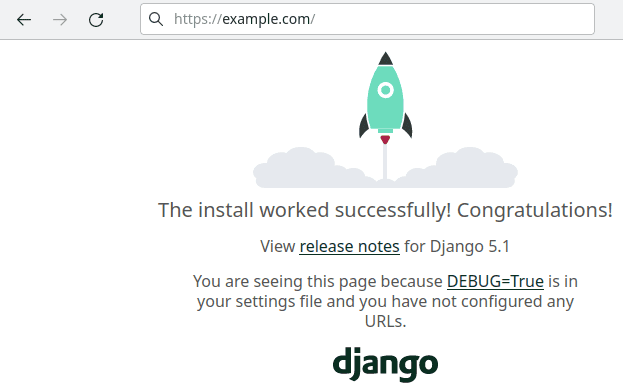
Result
Now you can deploy your Django applications on a managed operating system.