Introduction
Network server configuration refers to the process of setting up and configuring the hardware and software of a network server to get it up and running. It involves several steps, including configuring the operating system, network protocols, security settings, user access, shared resources, and network services. Paying close attention to server configuration is essential to ensure the performance, stability, and security of the server as well as the network.
1. Setting up user accounts
The first step in configuring a network server is to set up user accounts for those who will access and configure the server. This step ensures that server resources are only accessible to authorized individuals and, more importantly, prevents unauthorized changes to the server's settings and configurations.
Before you can start creating user accounts, it's important to document who needs access and what level of access they need. For example, administrators will need full access to the entire server, while read-only access will suffice for most other users. This helps track access and privileges and prevents privilege creep, which will be useful in security audits.
As a security best practice, you should create separate accounts for each user with unique usernames and passwords. When creating user accounts, it is also important to ensure that each user has only the level of access they need to do their job. This practice of limiting access rights is called the Principle of Least Privilege (PoLP) and is a fundamental principle of good security.

It is also a good practice to create groups with specific access levels. When you need to grant a user specific access and privileges, you can do so by adding the user to a group with those specific access and privileges. This makes it easier to manage user access and reduces the chance of errors and misconfigurations.
Setting up user accounts is an important step in configuring a network server, as it helps maintain security and prevent unauthorized access. Following best practices for creating user accounts and restricting access and privileges ensures that the network server remains secure and functional.
2. Configure network settings
The next step in the process is to configure the network settings. This is an important step because it ensures that the server is able to communicate with other devices on the network and that network traffic is routed effectively.
This step involves configuring the server's IP address, which helps identify the server on the network and direct traffic to and from the server. The next step is to configure the default gateway, which is responsible for routing traffic to and from devices on different subnets.
Another important setting to configure at this stage is the subnet mask. The subnet mask separates the IP address into network and host addresses and determines the size of the network segment that the server is located on. Properly configuring the subnet mask helps ensure that the server can communicate with other devices on the same subnet.
Next, you need to set up the server as a domain controller so that devices on the network can join the new centralized environment and the server can authenticate users. A domain controller responds to authentication requests and authenticates users on computer networks. This helps keep users and devices on the network organized and secure.
Finally, the Domain Name System (DNS) settings should also be configured at this point. DNS servers translate domain names into IP addresses and are critical for accessing resources on the Internet and other networks. Properly configuring DNS settings is essential to ensure that the server can access resources on the Internet or other networks.
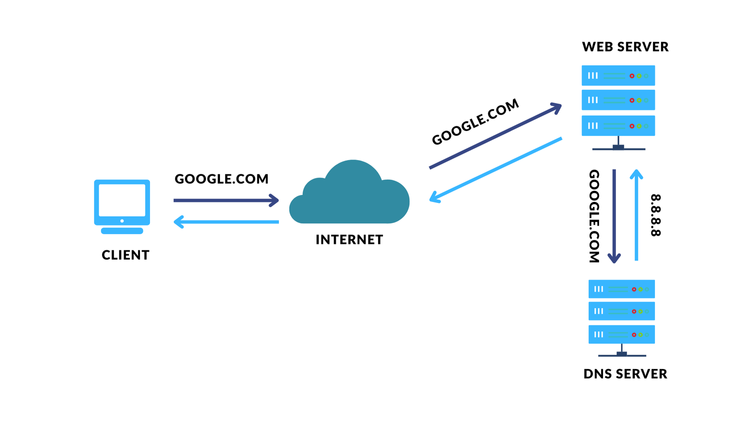
In short, configuring network settings is a crucial step in ensuring the proper functioning of a server. This includes configuring the IP address, default gateway, subnet mask, domain controller, and DNS settings. Taking the time to properly configure these settings will ensure that your network server is not only efficient and functional, but also secure.
3. Install and configure the applications
The next step in the process involves installing and configuring applications. The applications you need to install depend on the specific needs of the server, such as whether it will be used as a file server, web server, database server, etc. Typically, you will need a firewall, an antivirus program, a web server application, and a database management system.
To install and configure the application, simply follow the instructions provided by the application vendor. Most applications also have a setup wizard that guides you through the installation process. After installing the application, you may need to configure it to work with your network server. This can typically include setting up user accounts, configuring permissions, and configuring network settings.
Installing and configuring applications is an important step in configuring a network server. Proper installation and configuration of applications is essential to ensure that your network server can perform its functions securely and efficiently.
4. Set up shared resources
One of the key benefits of a network server is that it allows you to share resources such as files, printers, and other devices among network users. To set up shared resources, you first need to determine what resources need to be shared and how they will be shared. Depending on the resource, this may include creating shared folders, setting up printer sharing, and so on.
Once you have determined what needs to be shared and how, you need to configure user access to those shared resources. This usually involves setting permissions for users to access the shared resources. Although this seems simple, it must be done with careful attention to prevent unauthorized users from accessing the resources.
It is also a good practice to monitor shared resources for usage and performance. This helps identify potential problems before they become serious problems. Many network server applications have built-in monitoring tools, but if the applications you install lack such tools, you can always use third-party software to monitor performance.
5. Configure security settings
Your server is probably the most important part of your infrastructure because it is usually the heart of business operations, performing tasks ranging from providing services to storing data. Since servers are critical to the daily operation of a business, they are an attractive target for cybercriminals. Therefore, server security should be taken very seriously.
While server security is extensive and warrants a separate blog post, if not more, I will only cover the basic security measures here. The first tip is to use strong, unique passwords for all user accounts on the server. All user accounts on the server should strictly adhere to the organization's password policy.
The second essential security measure is to install antivirus and anti-malware software on the server. In addition, it is also essential to ensure that the server operating system is updated with the latest security patches. Keeping the operating system and antivirus software up to date ensures that the server is protected from all known vulnerabilities and malware.
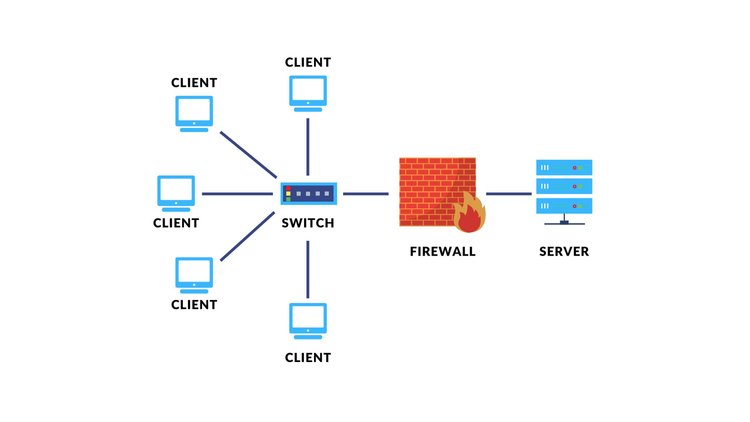
It is also essential to set up a firewall to monitor incoming and outgoing network traffic. Firewalls not only monitor but can also block unauthorized traffic entering your server. This can help prevent malware from communicating with external servers and data breaches.
Additionally, it is a good practice to configure access controls to restrict access to server resources based on user roles and permissions. I have covered access management in detail in a previous blog post: The Importance of Identity and Access Management for Small Businesses .
6. Set up server backups
Servers are critical parts of your infrastructure that need to be protected against a wide range of data loss scenarios, including hardware failures, cyberattacks, and natural disasters. The most robust backup strategy is the 3-2-1 backup strategy, in which you create 3 backups of your data, 2 copies stored locally but on different media, and at least 1 copy stored off-site, usually in the cloud. Backing up to multiple devices and locations eliminates a single point of failure and virtually eliminates the risk of data loss.
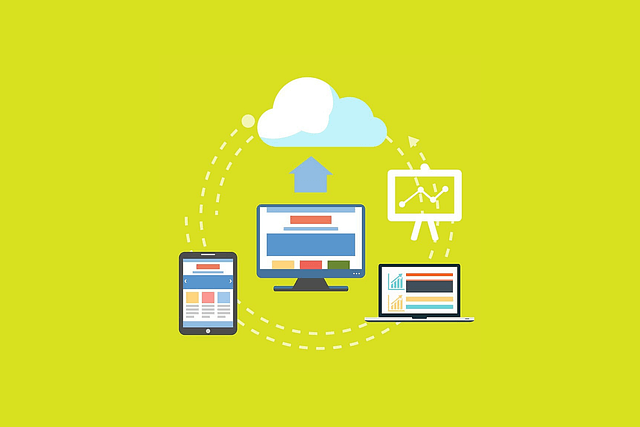
Server backup allows your business to not only recover from data loss caused by ransomware or natural disasters such as floods, fires, etc., but also ensure business continuity. If your business does not already have a disaster recovery and business continuity plan, it is highly recommended that you create one.
7. Test the server
Once all of the above configuration steps are complete, it's always a good idea to test the server to make sure it's working as planned. This usually involves connecting to the server from client devices and accessing shared resources. More advanced checks can include running diagnostic tools to test hardware and software components.
One of the first tests you'll do is check the server's network connectivity. This is usually done by pinging the server from other computers on the network and verifying that the server can access other network resources, such as shared folders and printers. You should also make sure that the necessary ports are open and check that the server's network settings, which were previously configured, are correct.
Next, you need to verify that user accounts and permissions are working properly. This is usually done by logging into the server with different user accounts and verifying that each user has access to the appropriate resources. Running these tests helps find and troubleshoot potential problems before they become serious issues.
Another important thing to test is the performance of the server under different loads. This is usually done by simulating network traffic to access shared resources and monitoring the server's CPU and memory usage. This testing is essential to verify that the server is able to handle the expected workload without slowdowns or crashes.
Result
Servers are undoubtedly the most important part of your infrastructure. They are at the heart of your business operations and must constantly be running at optimal levels. Ensuring this happens depends on careful planning, installation, and especially configuration and setup.
Even expensive hardware and software cannot provide you with the expected performance if the settings and configurations are not correct. The steps explained above will give you an overview of what you need to do to ensure that your server is available, secure, and performs well over time.